


In the world of Business Process Model and Notation (BPMN), clarity is king. When a process becomes complex, involving multiple departments or roles, a flat diagram can quickly become a confusing mess of lines and arrows. This is where Swimlanes become an essential architectural tool. They provide a visual container that assigns specific activities to the responsible parties, ensuring that every step of the process is clearly attributed.
This tutorial will guide you through the conceptual architecture of Swimlanes and demonstrate how to implement them effectively using Visual Paradigm, the industry-standard tool for BPMN modeling.
Understanding the Architecture of Swimlanes
Before diving into the software, it is crucial to understand the structural hierarchy of a BPMN diagram. Swimlanes are not just drawing tools; they represent a logical partitioning of a business process.
1. The Hierarchy: Pool to Lane
Visual Paradigm organizes these elements in a strict hierarchy:
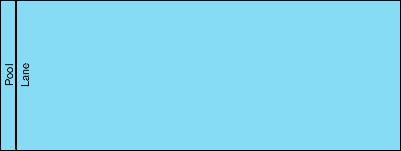
- The Pool: This is the outermost container. It represents the participant in the business process (e.g., a specific company, a department, or an external entity). A Pool defines the boundaries of the process. If you have multiple pools, you are modeling interactions between different participants.
- The Lane: This is a sub-partition within a Pool. Lanes represent the specific roles, actors, or organizational units responsible for the tasks inside the pool. While a Pool might be “Order Fulfillment,” the Lanes inside might be “Sales,” “Warehouse,” and “Finance.”
In the diagram below, we see the foundational structure. The vertical strip on the left is the Pool, and the horizontal or vertical strip within it is the Lane.

Step-by-Step: Creating Swimlanes in Visual Paradigm
Visual Paradigm (VP) provides an intuitive interface for creating these structures. Follow these steps to model a robust process.
Step 1: Initiate a New BPMN Project
Open Visual Paradigm and create a new project. Navigate to the Model menu and select Business Process Model and Notation. Choose to create a new diagram. This sets up the correct toolbar and palette for BPMN elements.
Step 2: Add the Pool
From the left-hand palette, locate the Pool element. Drag and drop it onto the canvas. You will see a large rectangular container. By default, this represents the primary participant.
Step 3: Create Lanes
To add Lanes, you can right-click on the Pool and select Add Lane. Visual Paradigm will automatically create a horizontal or vertical lane depending on your diagram’s orientation.
- Horizontal Lanes: Best for processes where activities happen sequentially (top to bottom).
- Vertical Lanes: Best for processes where activities happen side-by-side or where you want to compare roles horizontally.
Step 4: Assign Tasks to Lanes
Now, drag Tasks (the rounded rectangles) from the palette. When you drop a task, Visual Paradigm will check if it is inside a Lane. If you drop it directly on the Pool (but not in a Lane), it is considered “global” to the process. To ensure clarity, always drop tasks into a specific Lane. This visualizes exactly which role is performing the action.
Advanced Modeling: The VPasCode Integration
For users who prefer a script-based approach or need to generate diagrams programmatically, Visual Paradigm supports VPasCode. This allows you to define the structure of your Swimlanes using code snippets, which is particularly useful for version control and rapid prototyping.
Below is an example of how you would define a simple Pool with two Lanes in VPasCode:
Process: "OrderProcessing"
  Pool: "MainPool"
    Lane: "SalesDepartment"
      Task: "ReceiveOrder"
    Lane: "Fulfillment"
      Task: "CheckStock"
      Task: "ShipItem"
When you paste this code into the VPasCode editor within Visual Paradigm, it renders the structure exactly as described, ensuring your architecture is built consistently.
Best Practices for BPMN Swimlanes
To maintain a professional and readable model, keep these architectural rules in mind:
- One Lane, One Responsibility: Avoid creating lanes that are too granular (e.g., individual employee names) unless necessary. Stick to roles (e.g., “Manager”, “Clerk”) to keep the diagram scalable.
- Minimize Crossing Lines: Arrange your Lanes so that the flow of control (sequence flows) crosses between lanes as little as possible. Excessive crossing lines indicate a “spaghetti” process that is hard to maintain.
- Consistent Orientation: Stick to either all horizontal or all vertical lanes for a single diagram. Mixing orientations can confuse the reader’s eye.
By mastering Swimlanes in Visual Paradigm, you transform a simple list of tasks into a structured, role-based map of your business operations. This clarity is essential for process improvement and stakeholder communication.

 English
 Arabic
 Chinese (Simplified)
 Dutch
Dutch French
 German
 Italian
 Japanese
 Korean
 Portuguese
 Russian
 Spanish