


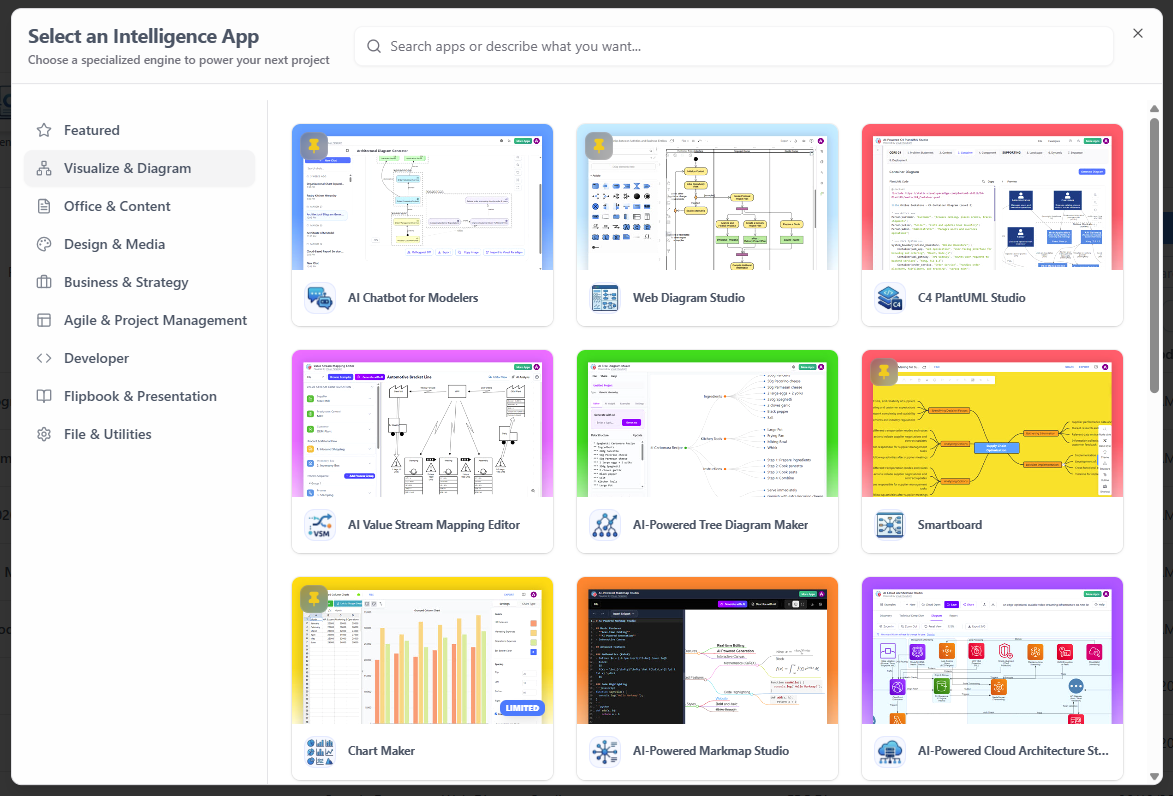
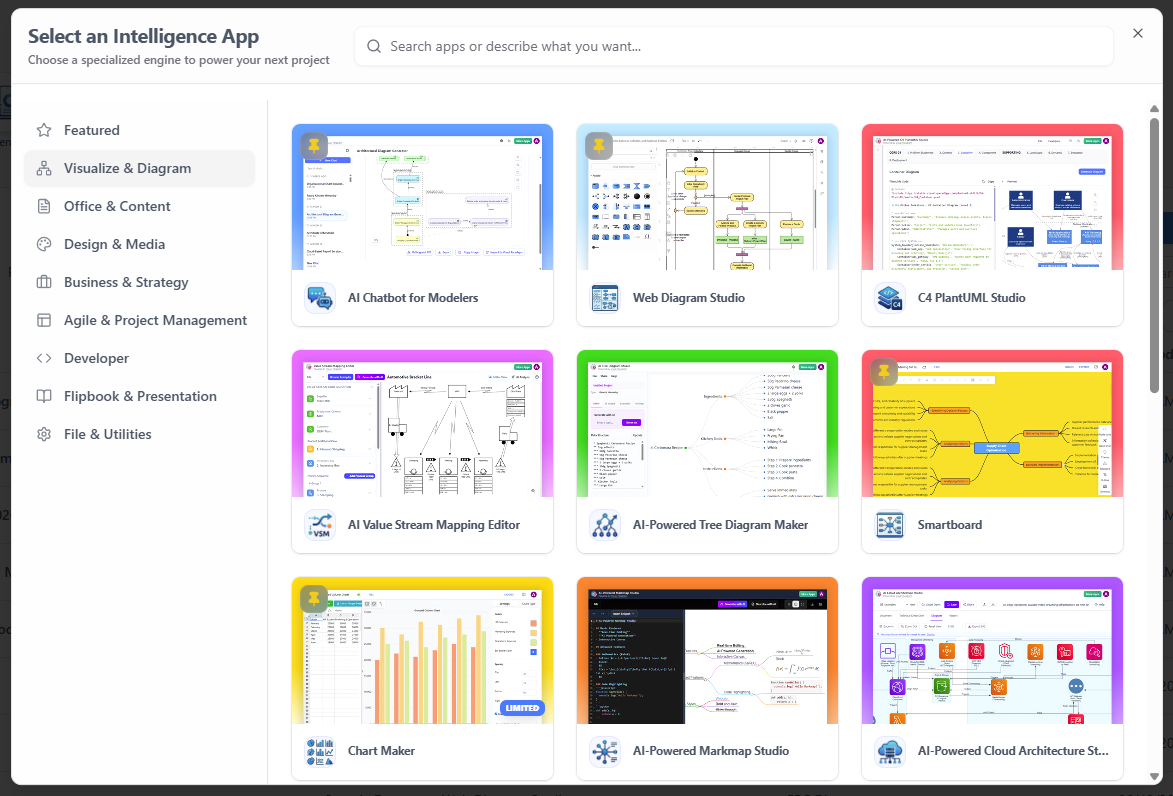
In the modern era of software engineering, complexity is the only constant. Architects and developers are no longer just coding; they are designing complex ecosystems that span business logic, data flow, and infrastructure. The interface shown in the image represents a paradigm shift in how these tools are consumed. It is not merely a menu of applications; it is a Unified Platform powered by an AI engine (VP AI) that curates specialized environments for every stage of the system lifecycle.
This tutorial explores the architectural philosophy behind this hub, specifically focusing on the “Visualize & Diagram” category, which acts as the central nervous system for modern system design. We will walk through the technical concepts of Model-Driven Engineering (MDE) as applied in this environment, utilizing examples from C4 PlantUML Studio and AI-Powered Cloud Architecture Studio.
The Architecture of the Hub
The platform operates on a micro-app architecture principle. Instead of a monolithic IDE that tries to do everything poorly, the hub offers specialized engines. This allows the underlying technology to evolve rapidly without disrupting the entire user experience. The sidebar categorizes these tools by their functional domain:
- Visualize & Diagram: The core modeling engine. This is where the “System Design” and “Architecture Modeling” concepts come to life.
- Business & Strategy: Tools for mapping high-level value streams and process modeling.
- Agile & Project Management: Bridging the gap between abstract architecture and sprint execution.
Deep Dive: The C4 Model & PlantUML Integration
One of the most prominent tools in the “Visualize & Diagram” section is the C4 PlantUML Studio. This tool is critical for professional software architects because it enforces the C4 Model, a hierarchical approach to software architecture visualization.
The C4 Model breaks down system design into four levels of abstraction:
- Context (Level 1): A high-level “System Context Diagram” showing the system and its users (Actors) and external dependencies.
- Container (Level 2): A “Container Diagram” showing how the system is built from software containers (e.g., a Web Application, a Mobile App, a Database).
- Component (Level 3): A “Component Diagram” detailing the major software components within a container.
- Code (Level 4): A “Code Diagram” (rarely needed) showing classes and interfaces.
In the VP AI environment, these diagrams are not just static images. They are generated from code using PlantUML, a powerful scripting language for diagramming. This allows for version control of architecture diagrams just like source code.
Example: Defining a System Context Diagram
To demonstrate how a user might interact with the AI Chatbot for Modelers or the C4 PlantUML Studio to generate a diagram, consider the following PlantUML syntax. This code defines the external actors and the core system.
@startuml
title Level 1: System Context Diagram
skinparam packageStyle rectangle

actor "End User" as User
actor "Admin" as Admin

package "Online Retail Platform" {
    component "Web Application" as WebApp
    component "Mobile App" as MobileApp
    database "Customer Database" as DB
}

User --> WebApp : Browse Catalog
User --> MobileApp : Place Order
Admin --> WebApp : Manage Inventory
WebApp --> DB : Read/Write Data
MobileApp --> DB : Read/Write Data
@enduml
This snippet defines the boundaries of the system. Notice the use of the package keyword to encapsulate the system, which is a fundamental concept in C4 modeling.
The Power of AI in Architecture Modeling
The “AI-Powered Cloud Architecture Studio” represents the next evolution of these tools. Traditional diagramming tools require manual placement of boxes and drawing of arrows. In contrast, an AI-powered engine uses Natural Language Processing (NLP) to infer the architecture.
How it works:
- The user provides a prompt describing the system requirements (e.g., “Create a cloud architecture for a scalable video streaming service using AWS”).
- The VP AI engine parses the intent and identifies key components (e.g., S3 Buckets, EC2 Instances, Load Balancers).
- The engine automatically generates the diagram code (PlantUML, Mermaid, or a proprietary DSL) and renders the visual representation.
This approach drastically reduces the cognitive load on the architect, allowing them to focus on the logic of the system rather than the geometry of the diagram.
Conclusion
The “100+ Specialized Apps Hub” is more than a collection of icons; it is a comprehensive ecosystem for System Design and Architecture Modeling. By integrating AI capabilities with established standards like C4 and PlantUML, it empowers developers to visualize complex systems with unprecedented speed and accuracy. Whether you are mapping a business process or designing a microservices architecture, the right tool in the hub can transform abstract ideas into concrete, actionable blueprints.

 English
 Arabic
 Chinese (Simplified)
 Dutch
Dutch French
 German
 Italian
 Japanese
 Korean
 Portuguese
 Russian
 Spanish