


As someone who has spent years translating messy organizational realities into clean BPMN diagrams, I often see teams make a critical mistake: they design one process map and assume it serves everyone. In reality, a Librarian’s workflow and a Reader’s journey are two distinct worlds that must collide perfectly at specific touchpoints.
The diagrams provided in this case study offer a masterclass in Multi-Perspective Modeling. They don’t just show “how to loan a book”; they dissect the operational backend, the user experience frontend, and the contractual handshake between them. Below, I break down these models to show you how to apply this level of rigor to your own service designs.
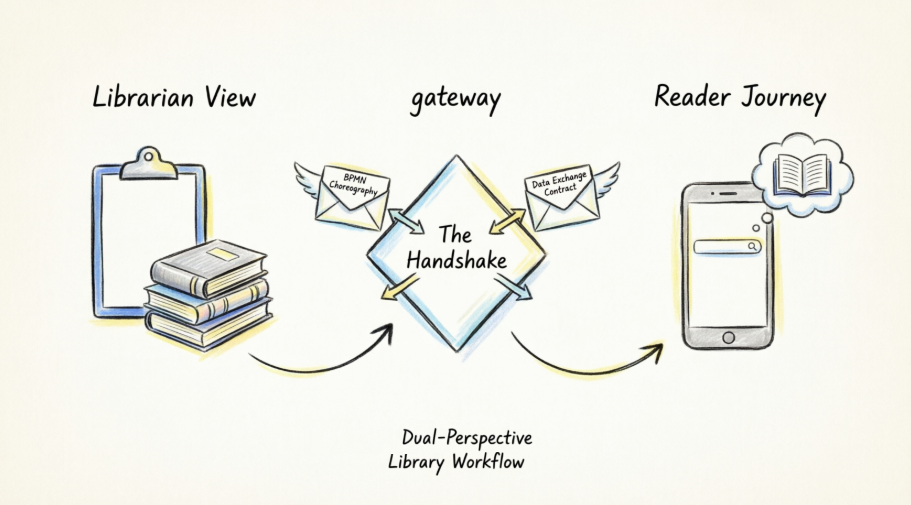
1. The Perspectives: Why One Diagram Is Never Enough
When analyzing the Book Loan and Reservation process, we immediately see a bifurcation. This isn’t redundancy; it’s necessary separation of concerns.
The Librarian Perspective (Operational Focus)
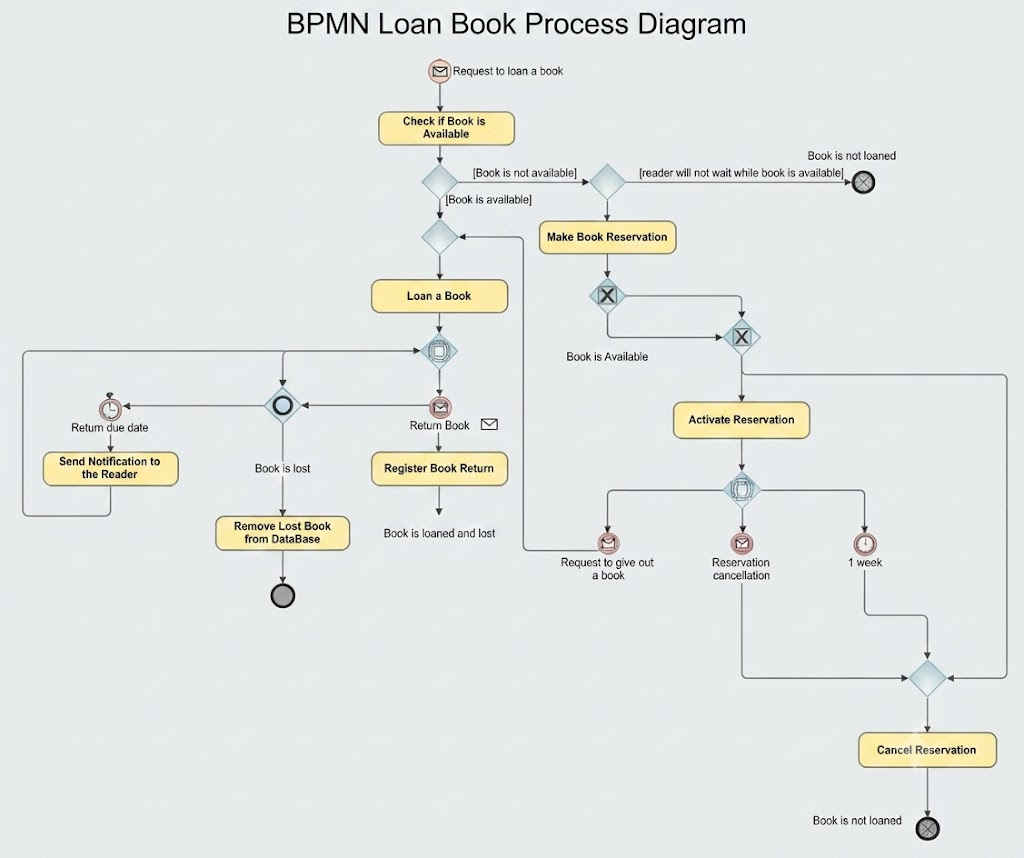
This diagram is the engine room. As an analyst, I look at this and see compliance and asset protection. It maps the internal business processes required to fulfill a request, focusing heavily on system actions like checking availability, removing items from the database, and enforcing rules regarding due dates or lost items.
-
Purpose: To define the workflow for staff and ensure organizational compliance.
-
Key Focus: Inventory management, system status updates, and exception handling (e.g., what happens when a book is declared lost?).
-
My Take: Notice how granular this is? The reader doesn’t need to know about database locks or inventory reconciliation, but the librarian must. This diagram prevents operational chaos.
The Reader Perspective (Experience Focus)
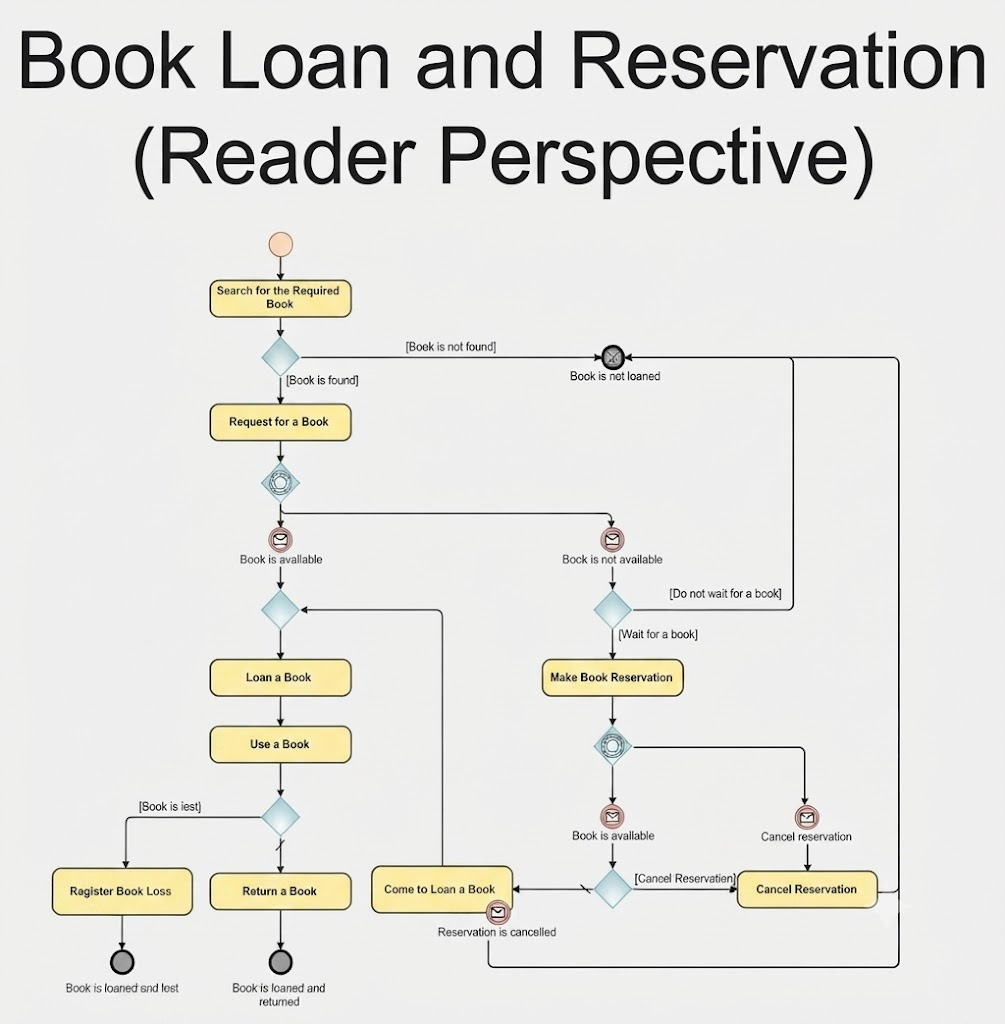
Figure 1: Reader Perspective
This diagram is the storefront. It maps the user journey, focusing entirely on interactions: searching, requesting, deciding whether to wait for a reservation, and the act of returning.
-
Purpose: To design a user-friendly interface and ensure the service meets emotional and functional needs.
-
Key Focus: The user’s decision-making psychology (e.g., “Do I wait for this book?” or “Should I cancel my reservation?”).
-
My Take: This is where UX lives. If this diagram is confusing, your app will be confusing. It highlights that the user controls the intent, while the system controls the fulfillment.
(Figure 1 & 4: Contrasting the detailed internal logic of the Librarian against the decision-heavy journey of the Reader)
2. Key Differences: A Comparative Analysis
In my consulting work, I use a matrix similar to the one below to explain to stakeholders why we need separate views. The primary difference lies in the level of abstraction and intent.
| Feature | Librarian Perspective | Reader Perspective |
|---|---|---|
| Control | Controls the database and physical inventory. | Controls the request and the intent to use. |
| Triggers | Triggered by a system event or “Request to loan.” | Triggered by the personal intent to “Search.” |
| Decision Points | Binary/Systemic: Based on stock levels and policy. | Psychological: Based on preference (waiting vs. abandoning). |
| Outcome | Managing physical/digital assets accurately. | Successfully obtaining/using the book with minimal friction. |
Analyst Note: When reviewing these, ask yourself: Which actions are hidden? The Reader never sees the librarian “removing a lost book” from the database. That is an internal task. Revealing it to the user would create cognitive load without adding value.
3. Collaborative Diagrams (Choreography): The Handshake
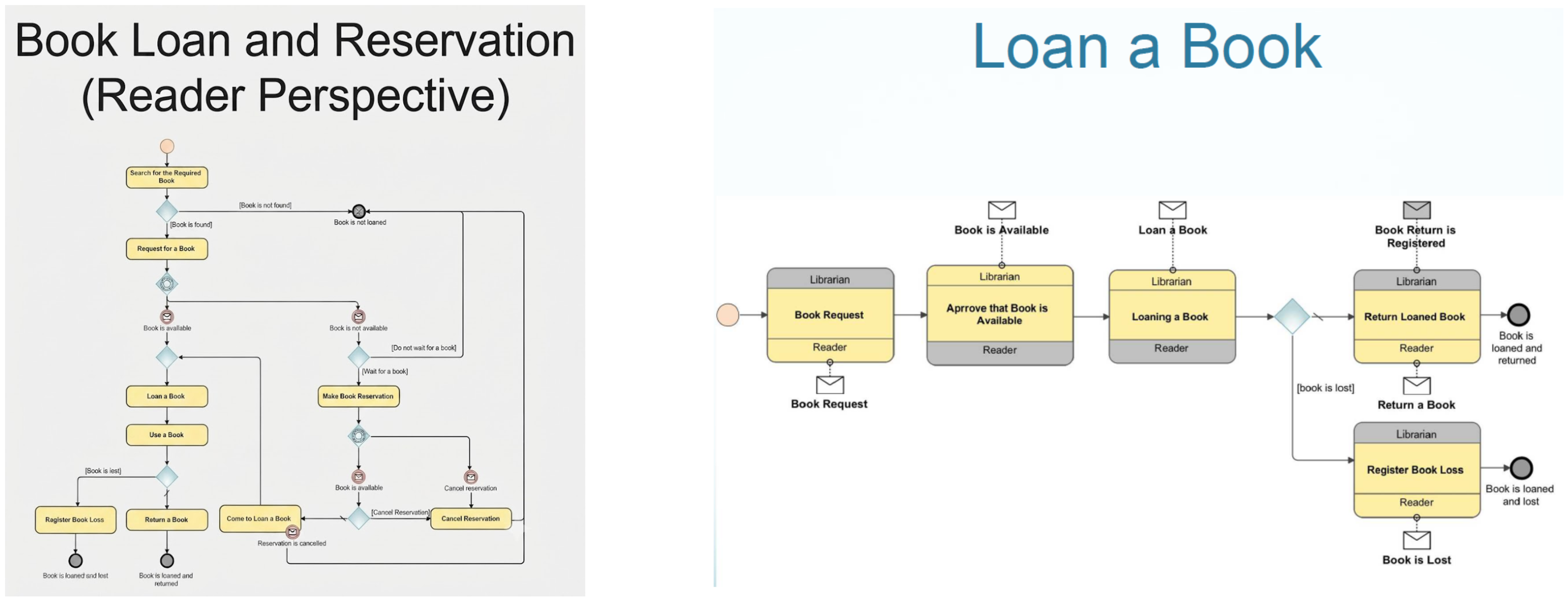
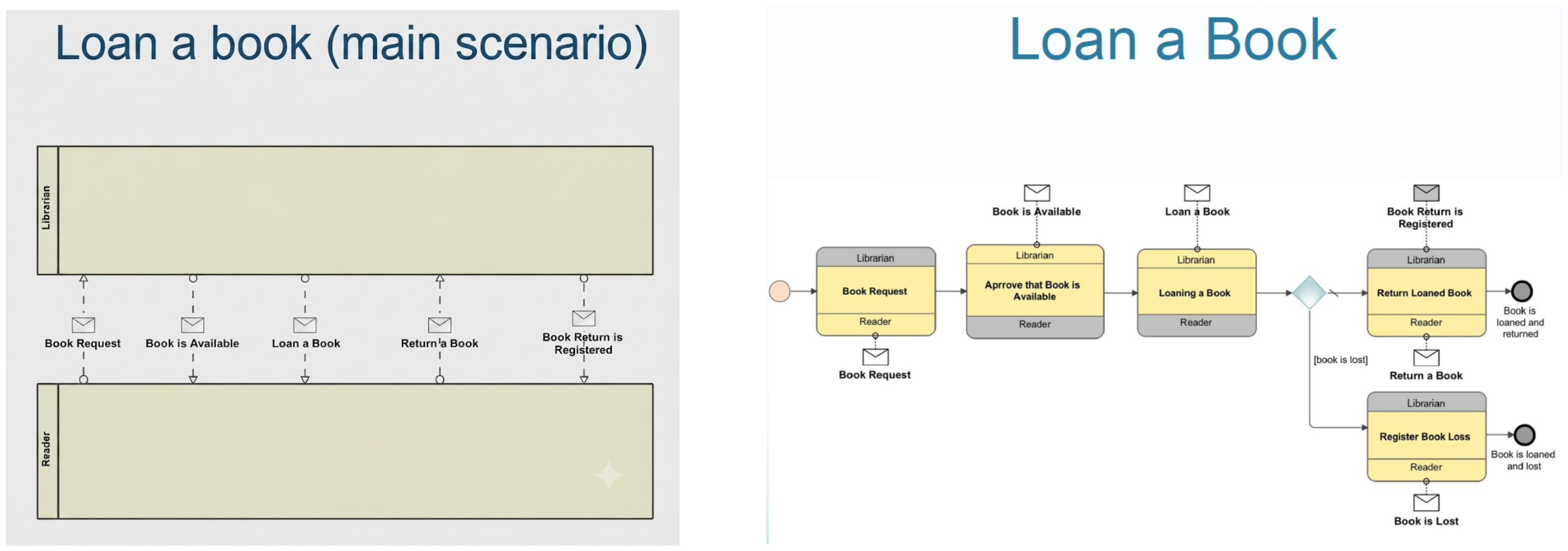
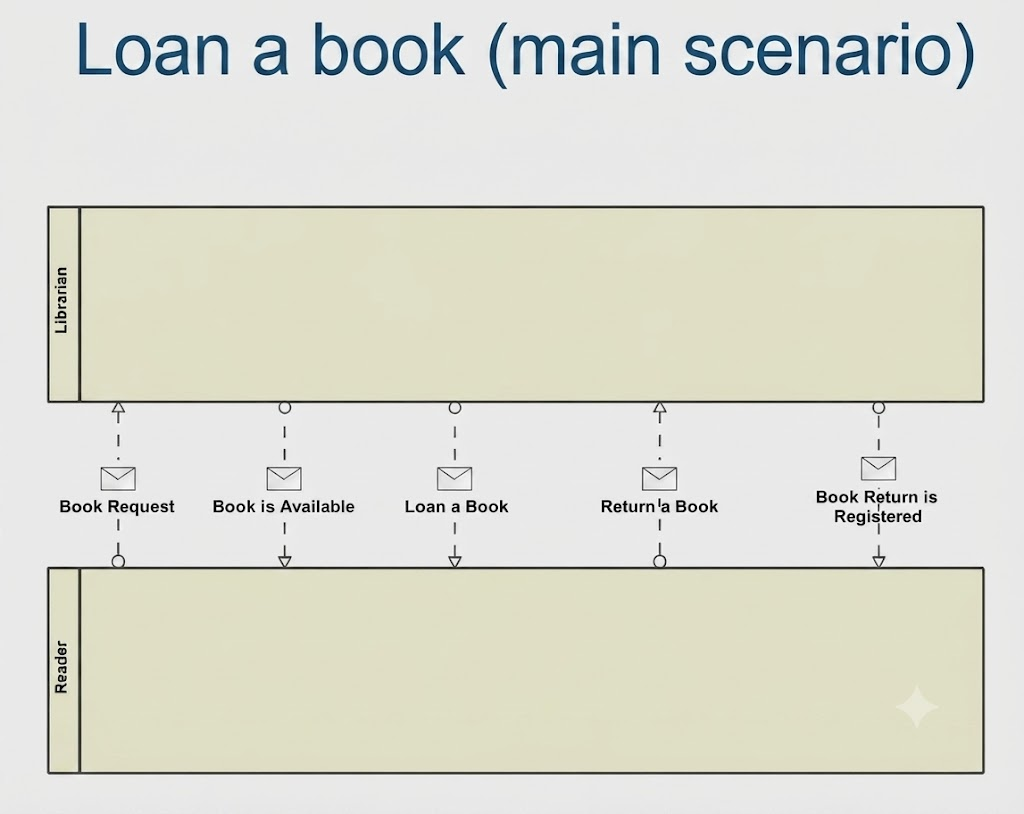
Perhaps the most valuable part of this dataset is the inclusion of BPMN Choreography Diagrams (Figure 2 and Figure 5).
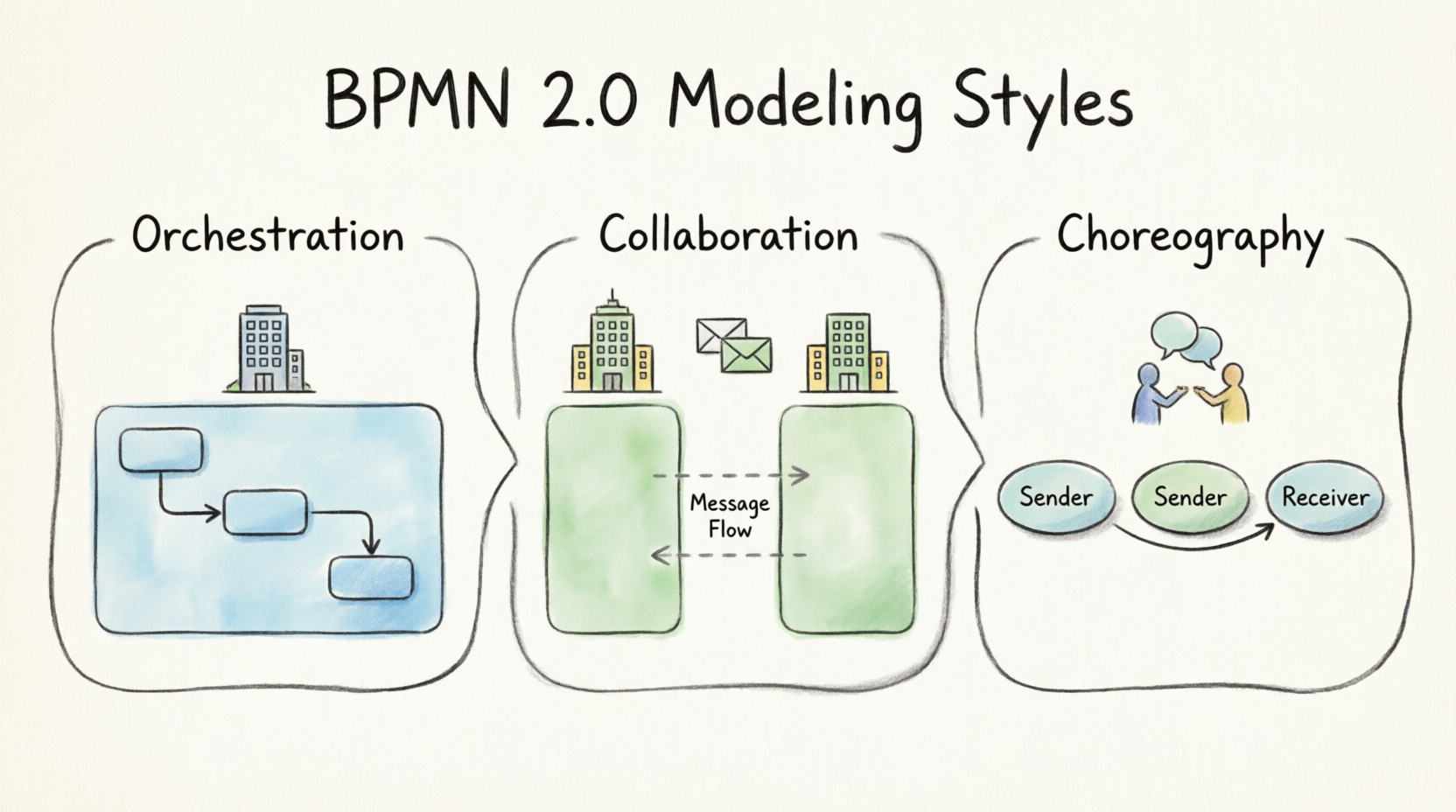
What is Choreography?
Unlike the previous diagrams that show what happens inside one actor’s scope (their private pool), choreography shows the interaction between participants. It defines the “contract” of the service.
Referencing Figure 2 (Top Right) and Figure 5 (Bottom).
These diagrams highlight the messages passed between the Librarian and Reader (e.g., “Book Request,” “Book is Available,” “Return a Book”).
Why They Matter
They act as the bridge. If the Librarian process expects a message that the Reader process never sends, the system fails.
-
Figure 2 (Main Scenario): Shows the happy path—the ideal synchronization.
-
Figure 5 (Detailed View): Shows the complexity, including the “Book is Lost” exception path.
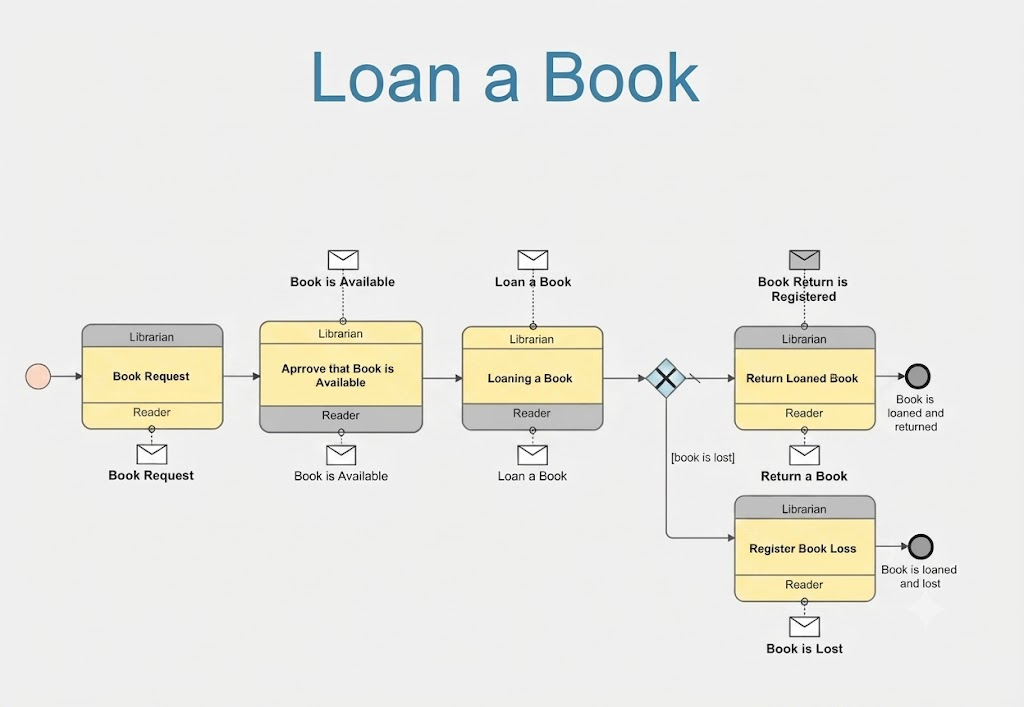
(The Choreography diagrams visualizing the message exchange contract between the two pools)
My Advice: Always model choreography after you have modeled the individual perspectives. You cannot define a handshake until you know what each hand is doing.
4. Core BPMN Concepts Applied
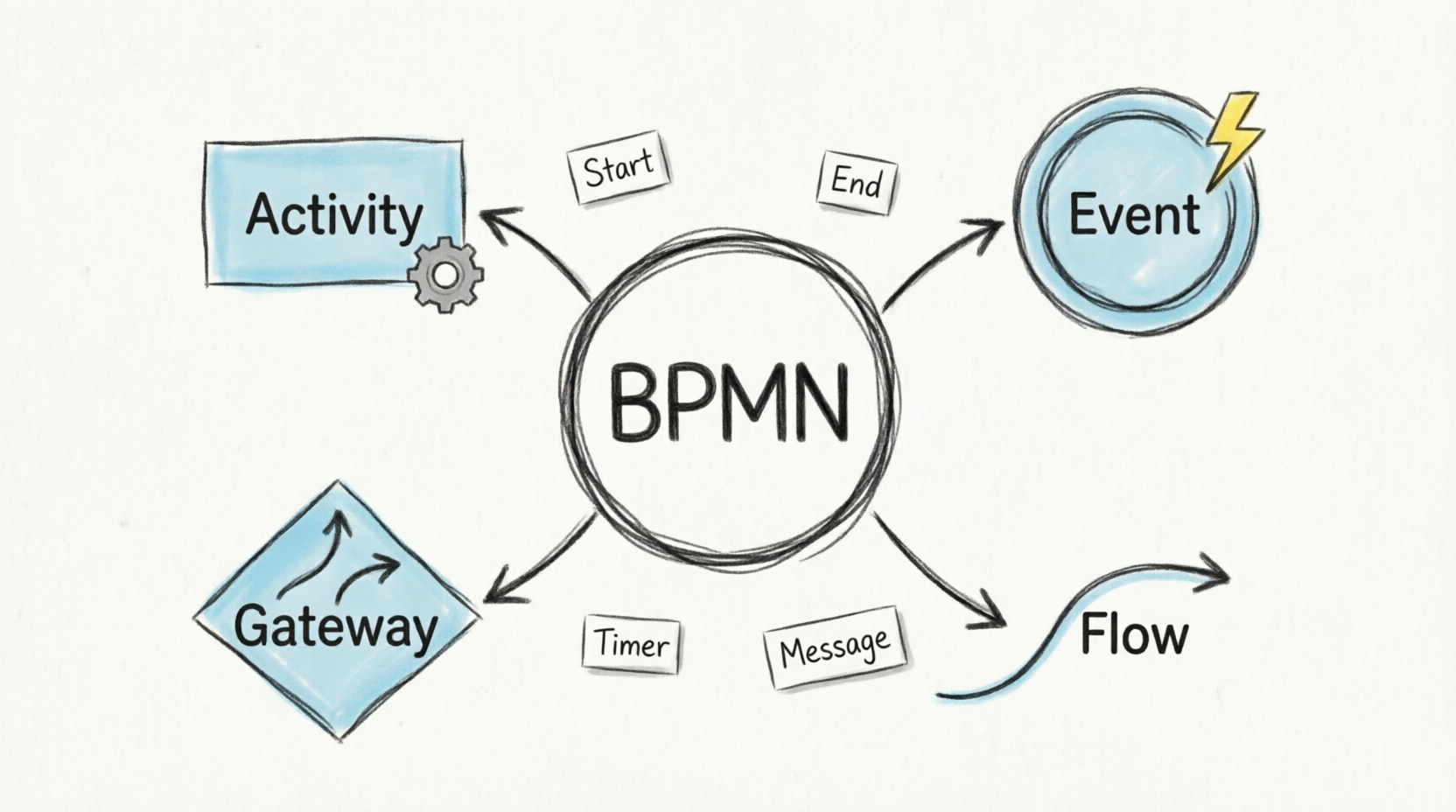
For those new to reading these specific library models, here is a quick decoder ring based on the visuals provided:
-
Pools/Lanes: The vertical containers separating the “Librarian” swimlane from the “Reader” swimlane. This visually enforces responsibility boundaries.
-
Gateways (Diamonds): The decision points. In the Reader view, notice the gateway after “Make Book Reservation”—it splits based on user patience (“Wait for a book” vs. “Cancel”). In the Librarian view, gateways are strictly data-driven (“Is book available?”).
-
Events (Circles):
-
Start Event: Usually a message (envelope) or timer.
-
End Event: A bold circle indicating state completion (e.g., “Book is loaned and returned” or “Book is Lost”).
-
-
Messages (Envelopes): Crucial in the choreography diagrams. These represent the API calls or UI prompts that connect the two worlds.
Summary Checklist for Your Own Analysis
When comparing dual-perspective models like these, run this checklist:
-
Hidden Actions: Are internal system tasks kept out of the user view?
-
Touchpoints: Where do the processes intersect? (This is where user satisfaction is decided).
-
Feedback Loops: Does the return of a book trigger a registration event in the Librarian lane to close the loop? (Both diagrams correctly show this).
Conclusion: From Visuals to Value
The comprehensive BPMN set provided here is more than just documentation; it is a blueprint for service alignment. By separating the Librarian’s operational rigidity from the Reader’s experiential fluidity, and then binding them together with Choreography, we create a system that is both robust and usable.
For software architects and product managers, the next logical step is translation. How do these visual workflows convert into technical database requirements? For instance, the “Make Book Reservation” gateway in the Reader view directly implies a reservation_status table and a background job scheduler for the “Wait for a book” state.
Mastering this multi-perspective approach ensures that when you eventually write the code, you aren’t just building features—you’re fulfilling a verified, synchronized contract between your organization and its users.



 English
 Arabic
 Chinese (Simplified)
 Dutch
Dutch French
 German
 Italian
 Japanese
 Korean
 Portuguese
 Russian
 Spanish