


Introduction
In today’s fast-paced digital landscape, clarity is currency. Organizations that can visualize, analyze, and optimize their workflows gain a significant competitive edge. However, traditional process modeling often suffers from steep learning curves, expensive software licenses, and platform incompatibility. Enter Visual Paradigm Online, a solution designed to democratize business process management.
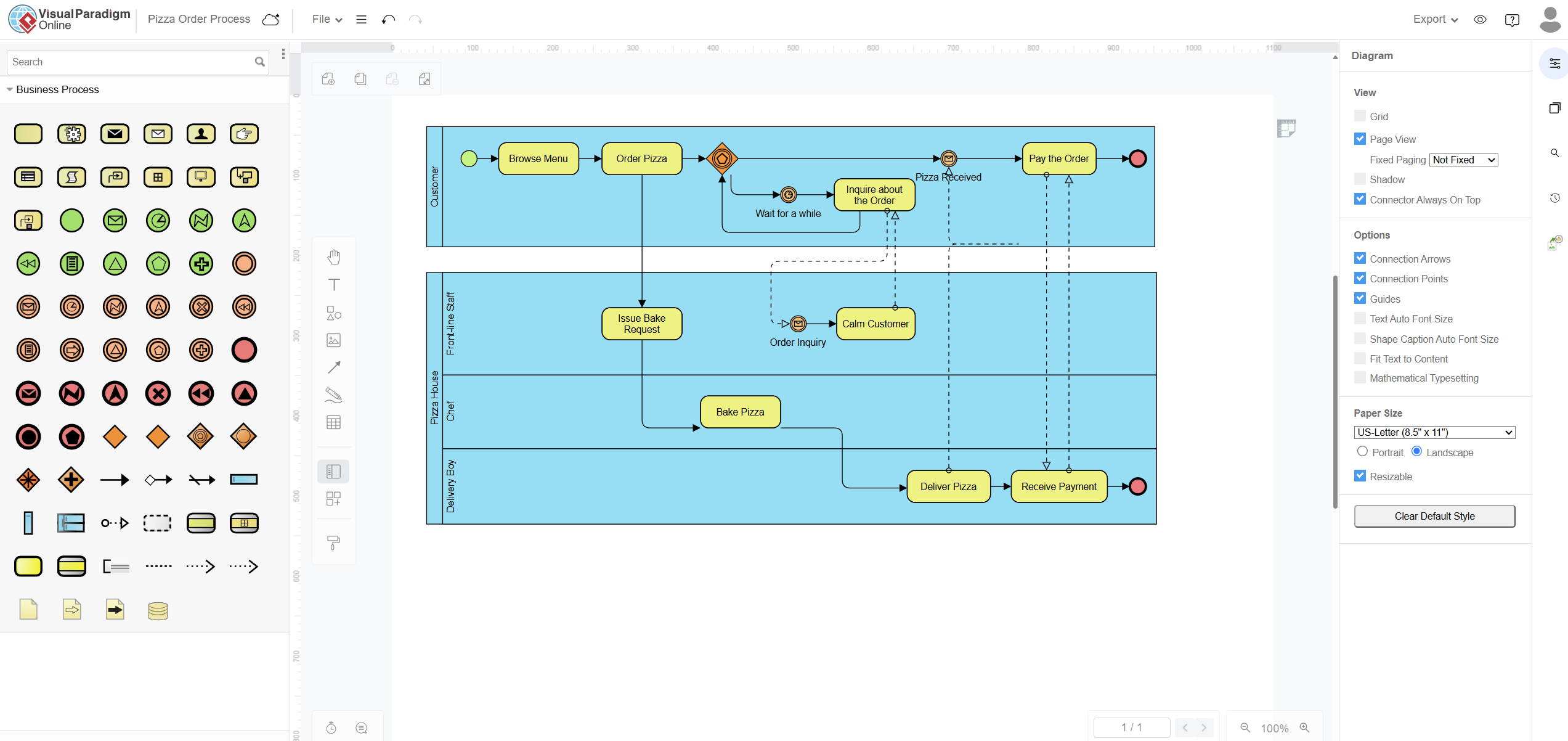
This comprehensive guide explores how Visual Paradigm Online serves as a robust, web-based Business Process Model and Notation (BPMN) tool. Whether you are a seasoned business analyst or a team lead looking to document standard operating procedures, this platform offers an intuitive, accessible environment to create professional-grade process models. Best of all, it is free forever and exceptionally user-friendly, removing the financial and technical barriers to effective process visualization.
1. Core Platform Capabilities & Architecture
Visual Paradigm Online is engineered for accessibility and ease of use without sacrificing professional functionality. Its architecture supports modern workflow demands through three key pillars:
Cross-Platform Web Editor
Gone are the days of worrying about OS compatibility or managing complex local installations. Visual Paradigm Online operates seamlessly within any modern web browser. Whether your team uses Windows, Mac OS, or Linux, everyone accesses the exact same feature-rich workspace. This ensures consistent collaboration and eliminates “it works on my machine” discrepancies.
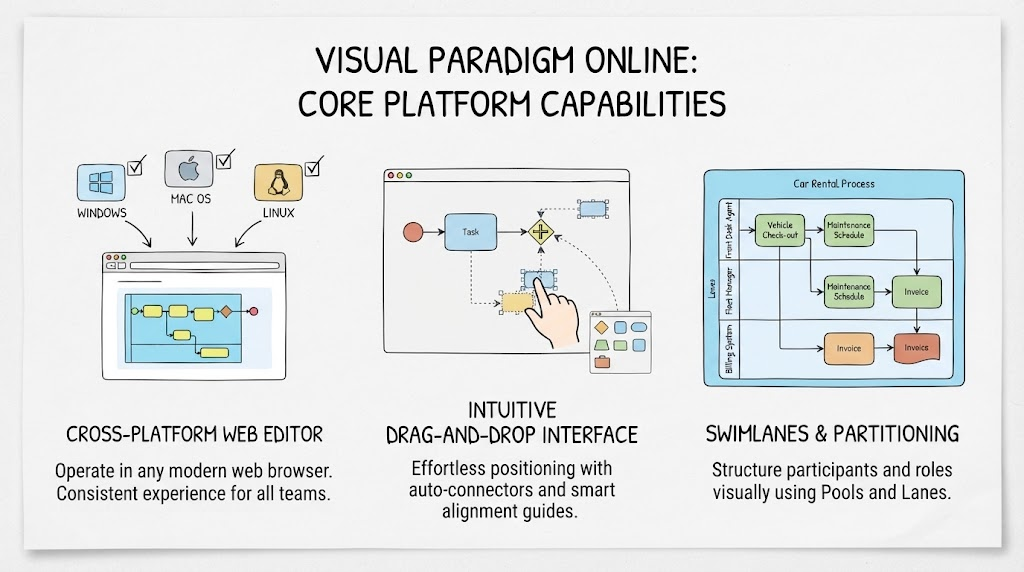
Intuitive Drag-and-Drop Interface
The hallmark of a user-friendly BPMN tool is its canvas. Visual Paradigm Online features a responsive drag-and-drop interface equipped with smart alignment guides and auto-connectors. Users can effortlessly position standard BPMN elements, artifacts, and flow connectors. The system assists in maintaining clean, readable diagrams automatically, allowing you to focus on process logic rather than pixel-perfect formatting.
Swimlanes & Partitioning
Complex processes involve multiple stakeholders. The tool provides native support for Pools and Lanes, enabling you to structure major organizational participants and delegate operational roles clearly. This partitioning is essential for distinguishing between departments, systems, or external entities, ensuring that responsibility and handoffs are visually unambiguous.
💡 Key Concept: Pools vs. Lanes
Pool: Represents a major participant in a process (e.g., “Customer,” “Fulfillment Department”). A pool can contain one or more lanes.
Lane: A sub-partition within a pool used to organize activities by role, department, or system (e.g., “Sales Rep,” “Warehouse Manager,” “ERP System”).
Example: In a Car Rental Process, the “Rental Agency” pool might have lanes for “Front Desk Agent” (vehicle check-out), “Fleet Manager” (maintenance scheduling), and “Billing System” (invoice generation).
2. Learning-by-Example with Rich Template Collections
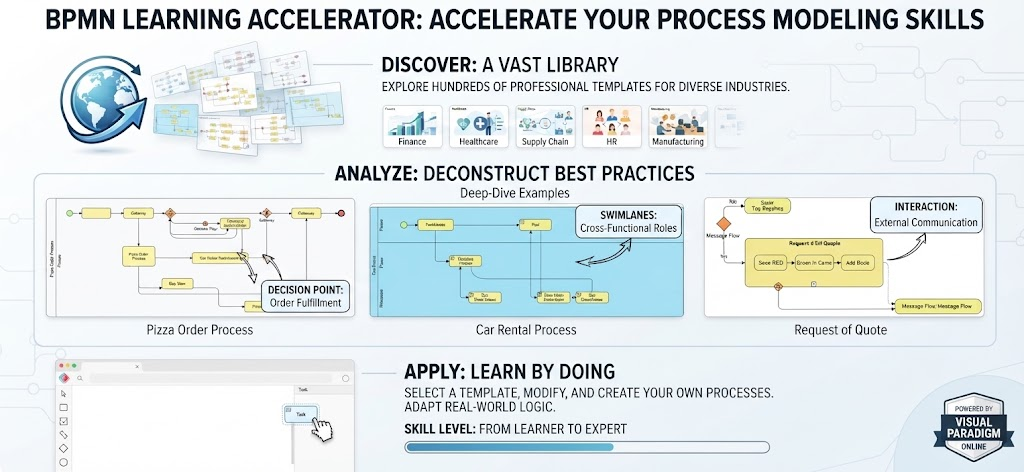
One of the most significant advantages of Visual Paradigm Online is its ability to lower the barrier to entry through practical examples. Instead of starting from a blank canvas, users can leverage a vast library of professional templates.
Extensive Template Gallery
The platform hosts pre-built diagrams covering a wide spectrum of industries and functions. From standard business procedures like the Pizza Order Process, Car Rental Process, and Hiring Process to specialized workflows such as Surgical Procedures and Order Fulfillment, there is likely a template that mirrors your needs.
Instant Customization & Standard-Compliant Learning
Templates are not static images; they are fully editable models. You can load any template directly into the web workspace, inspect the structural layout, and modify nodes, tasks, and gateways to fit custom requirements. Furthermore, these annotated examples serve as educational tools, helping users grasp the exact semantic usage of BPMN flow elements, event triggers, and data associations according to industry standards.
💡 Key Concept: Template-Based Modeling
Using templates accelerates documentation by 50-70% compared to creating diagrams from scratch. It also enforces best practices, as professional templates adhere to strict BPMN 2.0 notation standards.Example: A hospital administrator needing to map a Patient Discharge Workflow can start with the “Surgical Procedures” or generic healthcare template. They can then rename tasks from “Post-Op Recovery” to “Discharge Paperwork” and adjust gateways to reflect insurance verification steps, ensuring compliance while saving hours of design time.
3. Key BPMN Element Categories
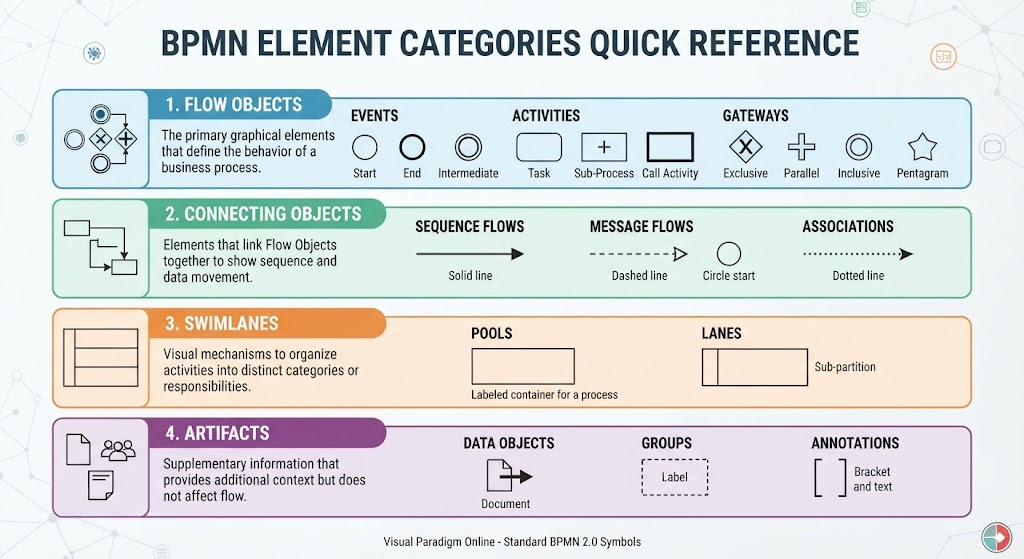
To build clear, universally understood process models, Visual Paradigm Online organizes symbols into standard BPMN categories. Understanding these is crucial for effective communication.
| Category | Description | Common Elements |
|---|---|---|
| Flow Objects | The primary graphical elements that define the behavior of a business process. | Events (Start/End), Activities (Tasks/Sub-processes), Gateways (XOR/AND/OR) |
| Connecting Objects | Elements that link Flow Objects together to show sequence and data movement. | Sequence Flows, Message Flows, Associations |
| Swimlanes | Visual mechanisms to organize activities into distinct categories or responsibilities. | Pools, Lanes |
| Artifacts | Supplementary information that provides additional context but does not affect flow. | Data Objects, Groups, Annotations |
💡 Key Concept: Gateway Logic
Gateways control the divergence and convergence of paths in a process. Choosing the right gateway is critical for accurate modeling.
Exclusive (XOR): Only one path is taken based on a condition (e.g., “Is stock available?” Yes → Ship; No → Backorder).
Parallel (AND): All paths are activated simultaneously (e.g., After order confirmation, send email AND update inventory).
Inclusive (OR): One or more paths may be taken depending on conditions.
Example: In a Hiring Process, an Exclusive Gateway follows the “Interview” task. If the candidate passes, the flow moves to “Offer Letter.” If they fail, the flow moves to “Rejection Email.” Both paths never occur simultaneously for the same candidate instance.
Why Choose Visual Paradigm Online?
While many BPMN tools exist, Visual Paradigm Online stands out for two compelling reasons:
-
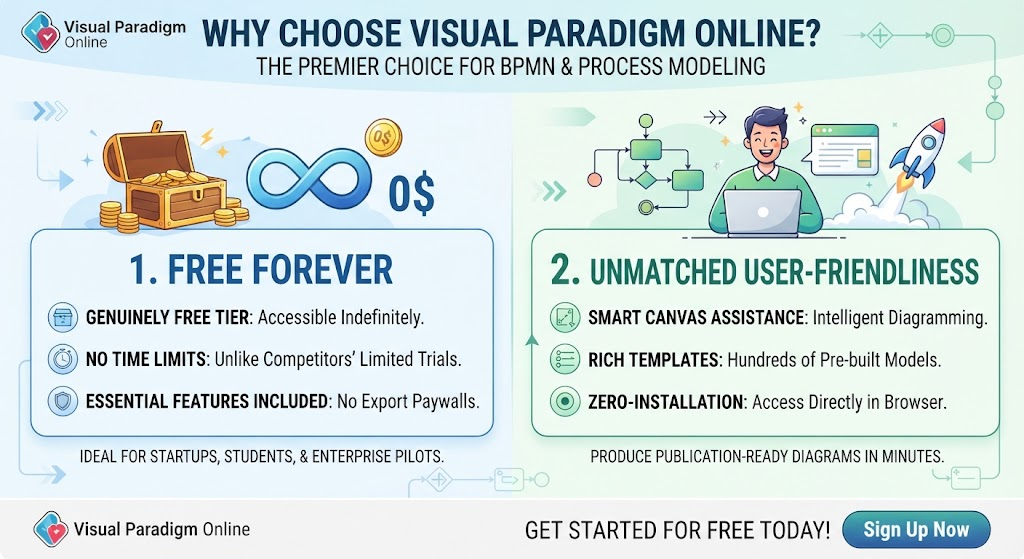
Free Forever: Unlike competitors that offer limited trials or restrict essential export features behind paywalls, Visual Paradigm Online provides a genuinely free tier that remains accessible indefinitely. This makes it ideal for startups, students, non-profits, and enterprise teams piloting process improvement initiatives.
-
Unmatched User-Friendliness: The combination of smart canvas assistance, rich templates, and zero-installation access means new users can produce publication-ready diagrams in minutes, not days. The learning curve is flattened, encouraging wider adoption across non-technical stakeholders.
Conclusion
Effective business process modeling should not be reserved for specialists with expensive software. Visual Paradigm Online bridges the gap between professional rigor and everyday accessibility. By combining a cross-platform web editor, intelligent drag-and-drop design, extensive template libraries, and strict adherence to BPMN standards, it empowers organizations to visualize and optimize their workflows with confidence.
Whether you are documenting a simple pizza order or orchestrating a complex surgical procedure, Visual Paradigm Online provides the tools you need—free forever and designed for humans. Start modeling today and transform your abstract processes into clear, actionable visual assets.



 English
 Arabic
 Chinese (Simplified)
 Dutch
Dutch French
 German
 Italian
 Japanese
 Korean
 Portuguese
 Russian
 Spanish