


New Introduction: A Product Manager’s Perspective on Database Modeling Tools
As a product manager who regularly collaborates with engineering teams on data architecture decisions, I’ve tested dozens of diagramming tools over the years. When I recently needed to quickly prototype an entity relationship model for a new feature specification, I decided to give Visual Paradigm’s Online ERD Tool a serious try. What started as a casual exploration turned into one of the most pleasant database design experiences I’ve had. In this review, I’ll share my genuine, hands-on experience with the platform—what worked well, what surprised me, and whether it’s worth adding to your toolkit. Spoiler: I was genuinely impressed.
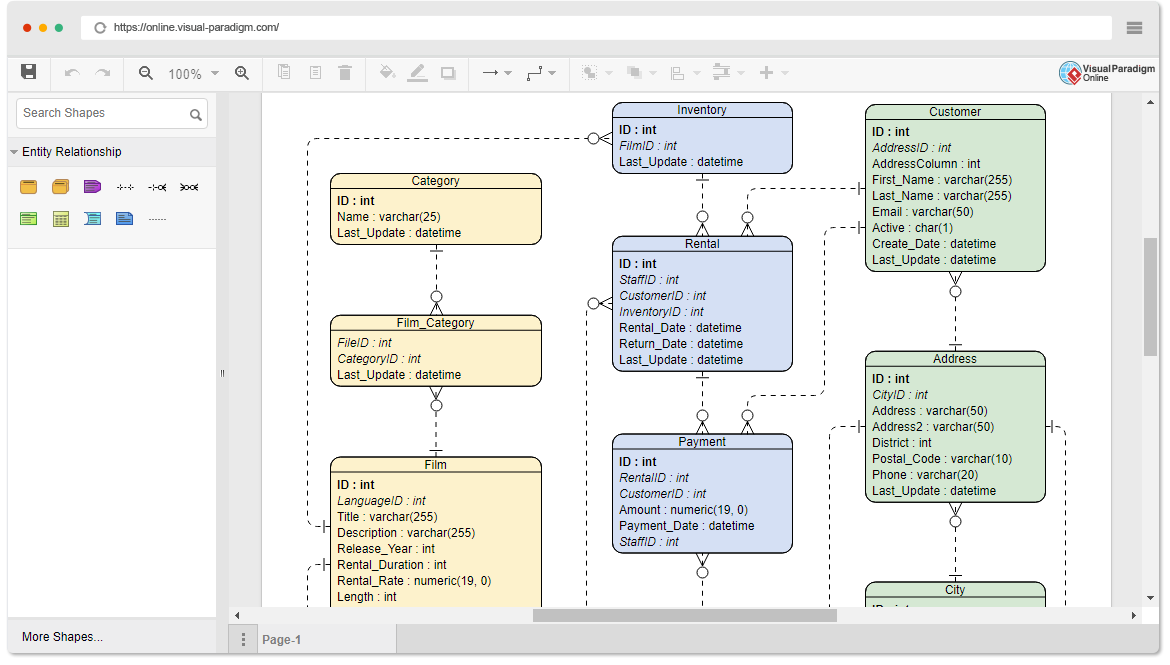
First Impressions: Clean Interface, Zero Learning Curve
When I first landed on Visual Paradigm’s Online platform, I appreciated that I wasn’t hit with a complex onboarding flow. The interface felt intuitive from the start. As someone who values efficiency, I loved that I could jump straight into creating an ER diagram without watching tutorials or reading lengthy documentation. The canvas was clean, the toolbar was logically organized, and the drag-and-drop functionality worked exactly as I hoped. For teams that need to onboard new members quickly, this is a significant advantage.
All the Symbols and Connectors You Need: No More Hunting for Components
One frustration I’ve had with other diagramming tools is constantly searching for the right notation or connector. With Visual Paradigm’s tool, everything I needed for ER modeling was readily available. Whether I was working on a high-level conceptual model or diving into physical schema details, the library of entities, attributes, relationships, and cardinality notations was comprehensive.
In my experience, this completeness saved me considerable time. I didn’t have to switch between tools or manually draw workarounds for missing symbols. For anyone creating conceptual, logical, or physical data models, having this all-in-one symbol set is a genuine productivity booster.
Versatility in Model Creation: One Tool, Multiple Stages
What really stood out to me was how the tool adapted to different phases of my design process. Early in a project, I used it for quick conceptual sketches with stakeholders. Later, I refined those sketches into logical models for technical reviews, and finally exported physical models for developer handoff.
The Online ERD Tool didn’t force me into a single modeling paradigm. Instead, it flexibly supported my workflow evolution. This versatility is particularly valuable for product professionals who need to communicate across technical and non-technical audiences.
Inspiration at Your Fingertips: Learning from Real-World Examples
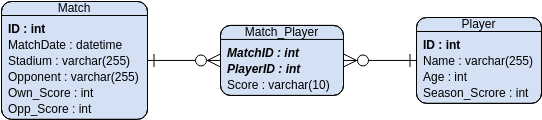
As someone who sometimes faces “blank canvas syndrome,” I found the built-in example gallery incredibly helpful. Instead of starting from scratch, I could browse professionally designed ER diagrams for inspiration.
Need some inspiration? We’ve put together some ERD examples below to help you get started. Click on an ER diagram to view it, or click the edit button to start editing.
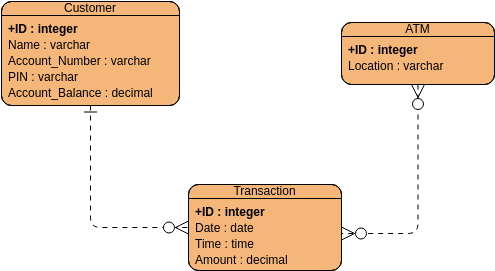

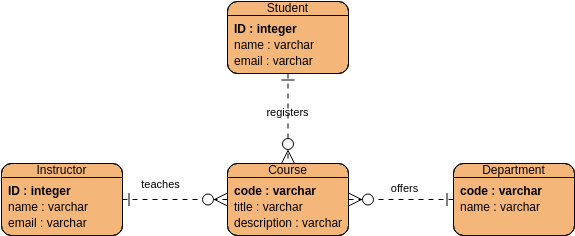
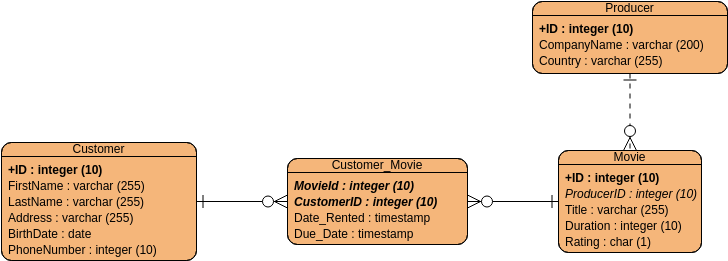
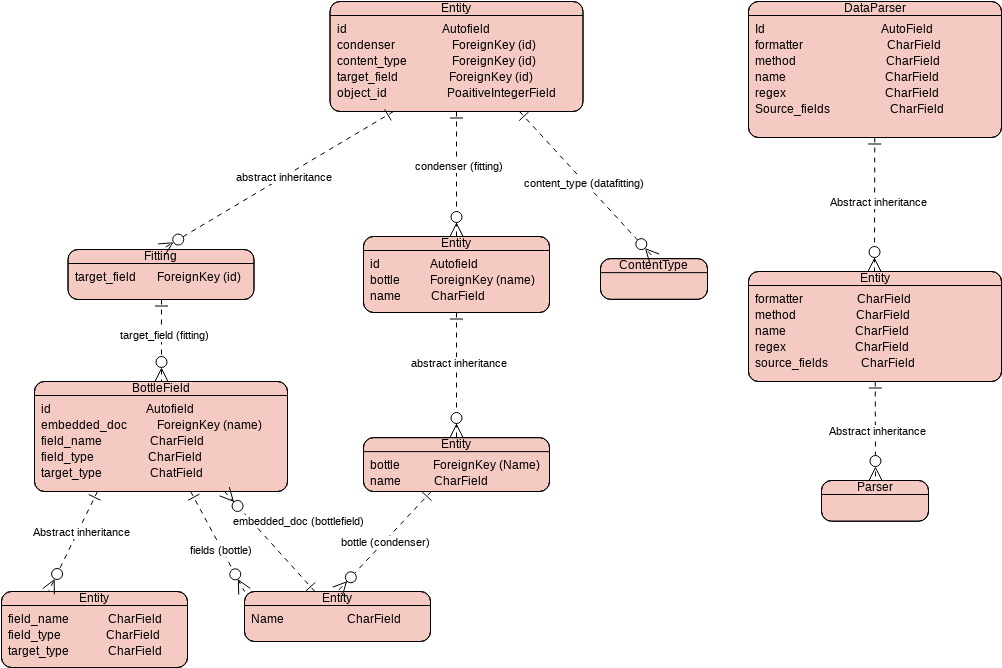
Data Field Entity Relationship Diagram
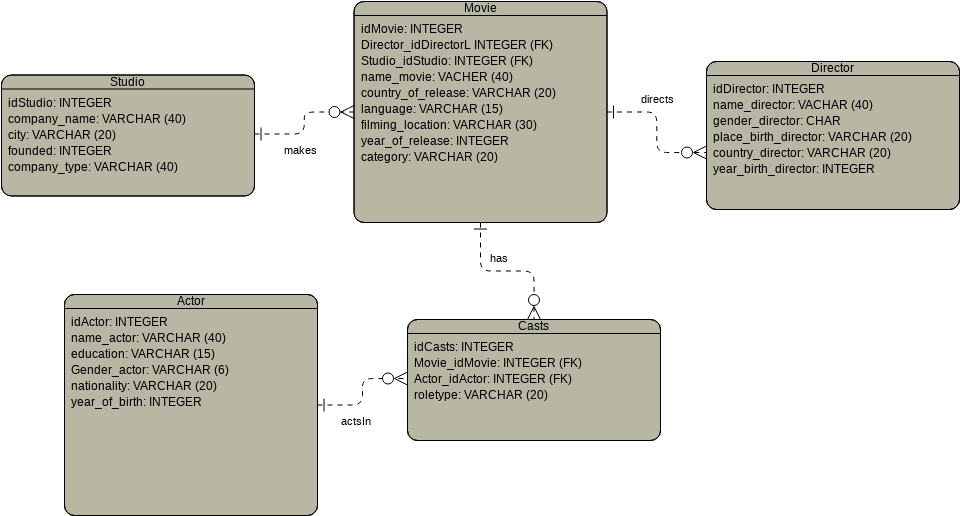
Movie Studio Entity Relationship Diagram
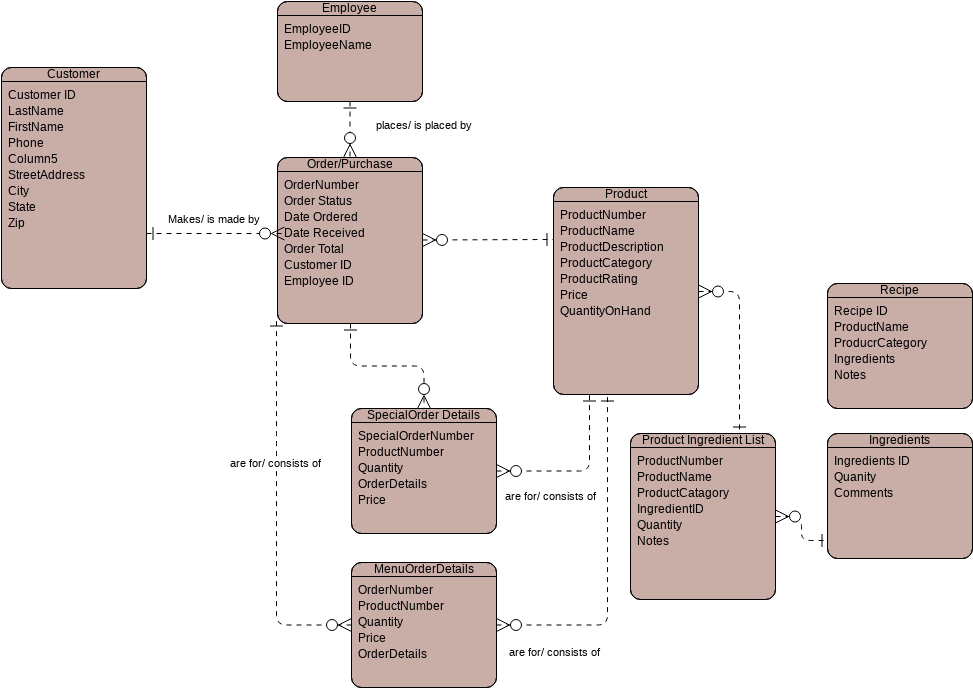
Order Purchase Entity Relationship Diagram
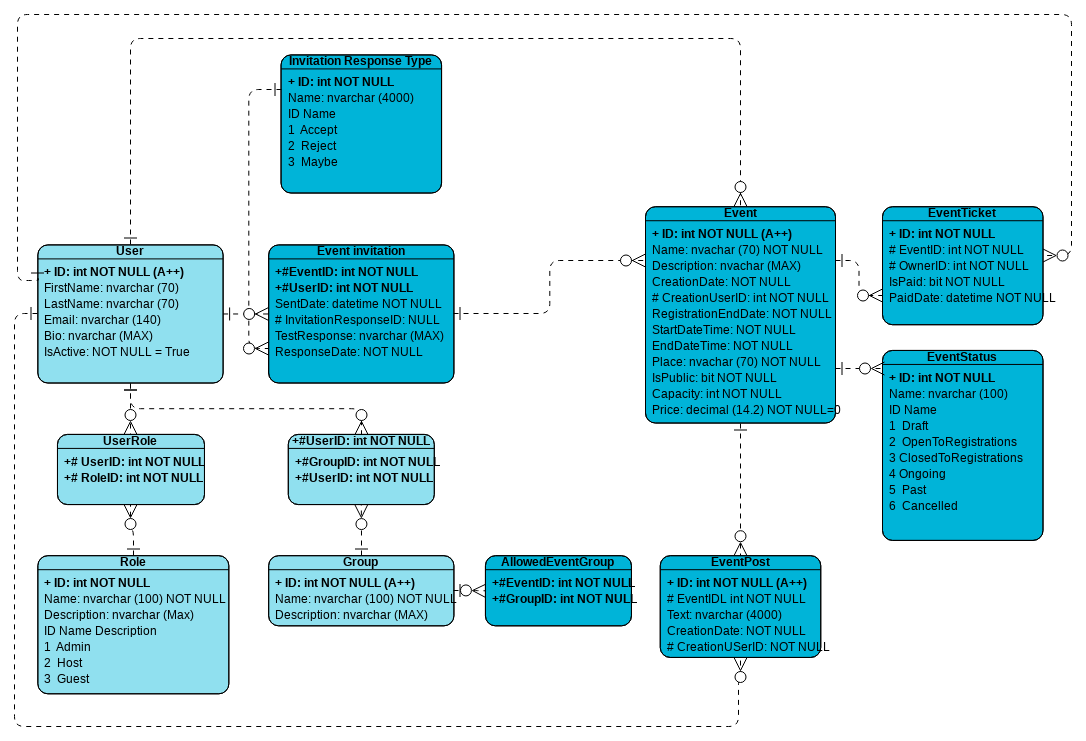
Event Creator Entity Relationship Diagram
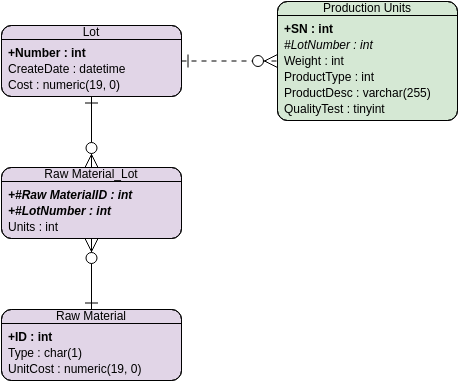
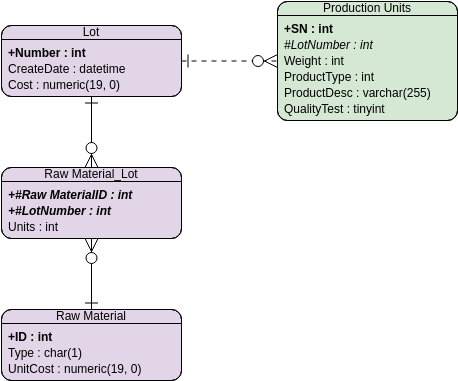
ERD Example: Production Tracking System
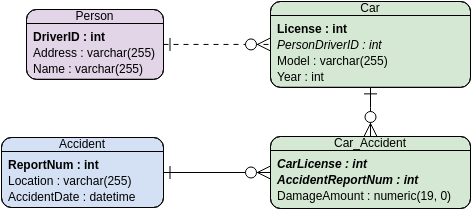
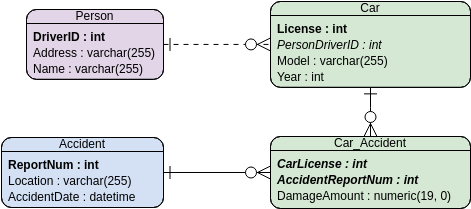
ERD Example: Car Insurance Management System
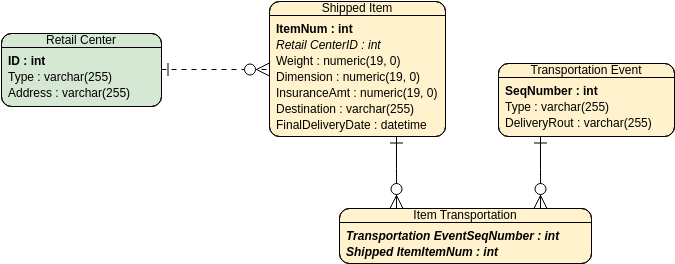
Entity Relationship Diagram: UPS System
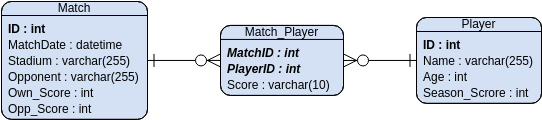
ER Diagram Example: Favorited Team Statistics
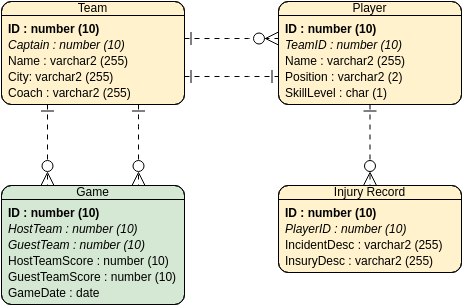
ER Diagram Example: Hockey League

ERD Example: Hospital Management System
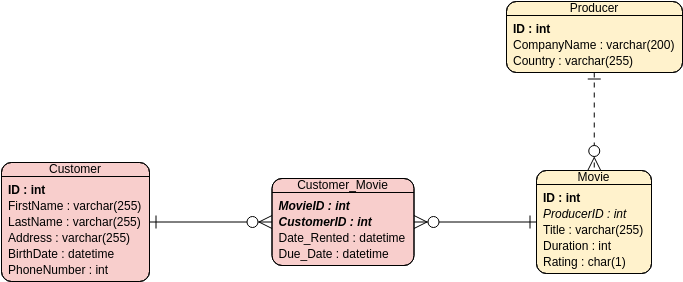
ER Diagram Example: Video Rental System
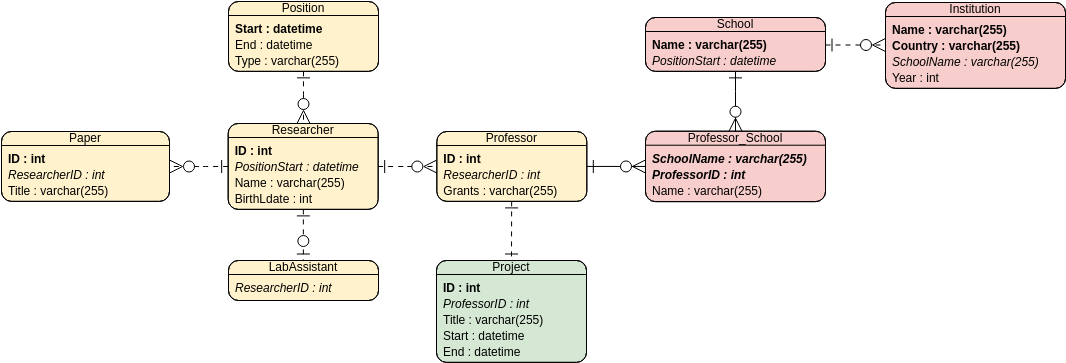
ER Model Example: Research Cooperation and Exchange
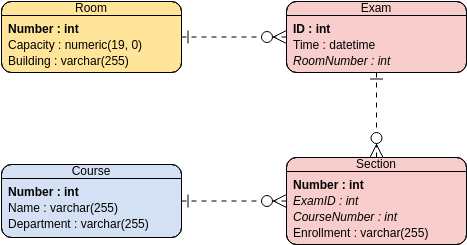
ER Model: Examination Scheduling System
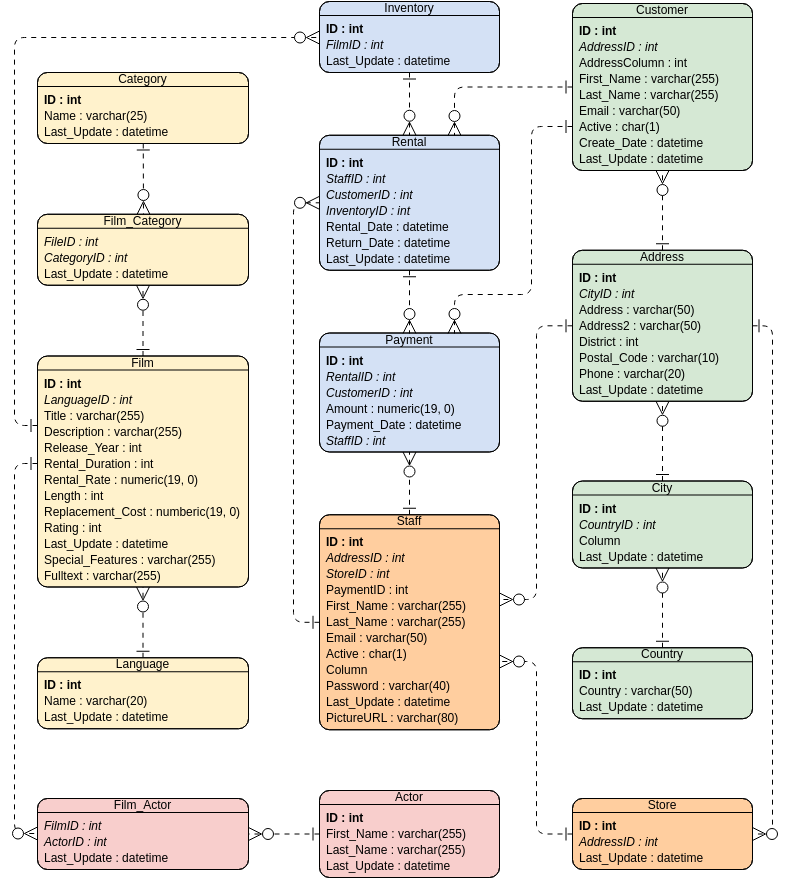
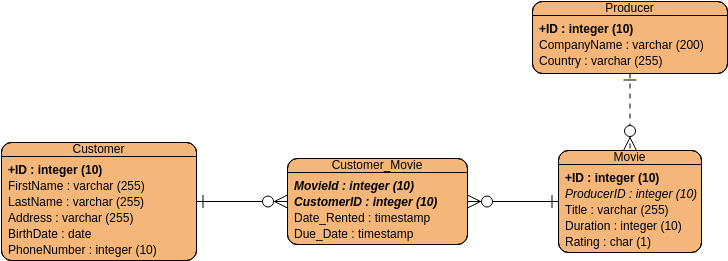
Entity Relationship Diagram: Movie Rental System
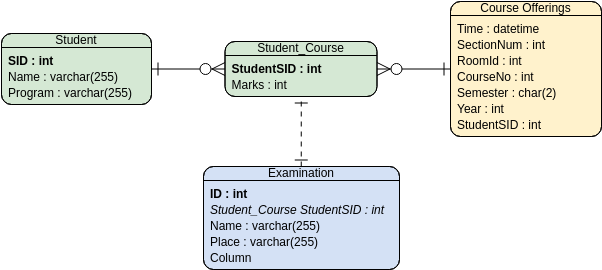
ER Model: Student Score – Ternary Relationship
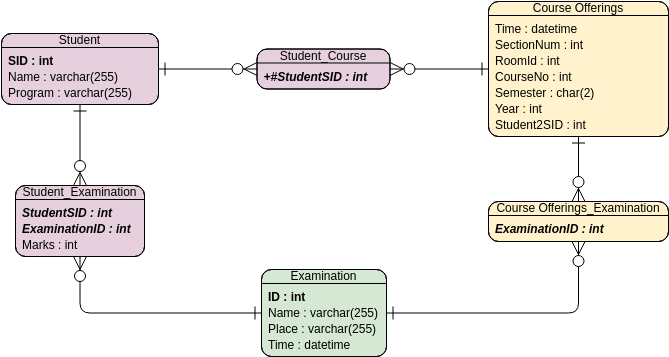
ER Model Example: Student Score – Binary Relationship
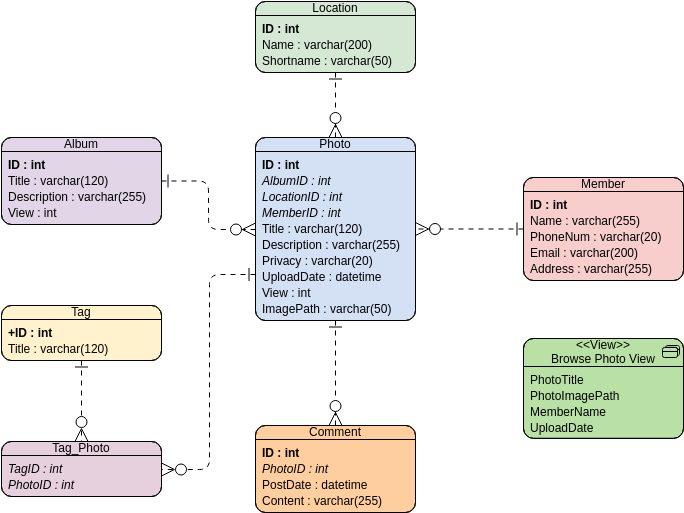
ER Diagram Example: Online Photo Album
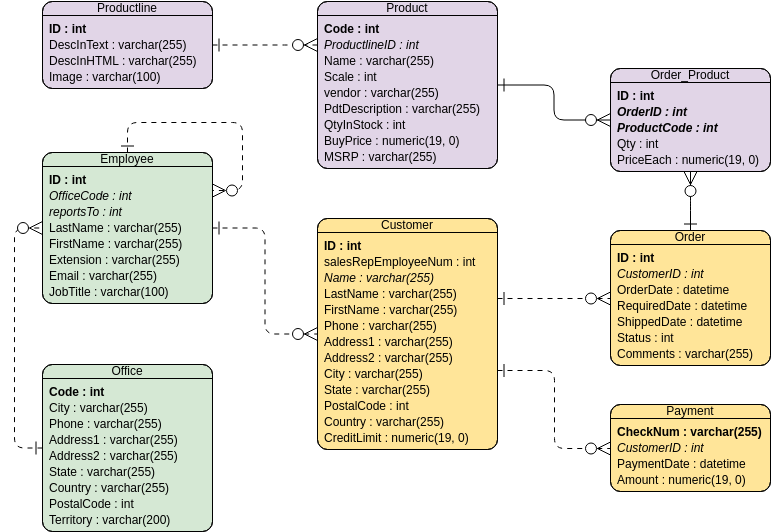
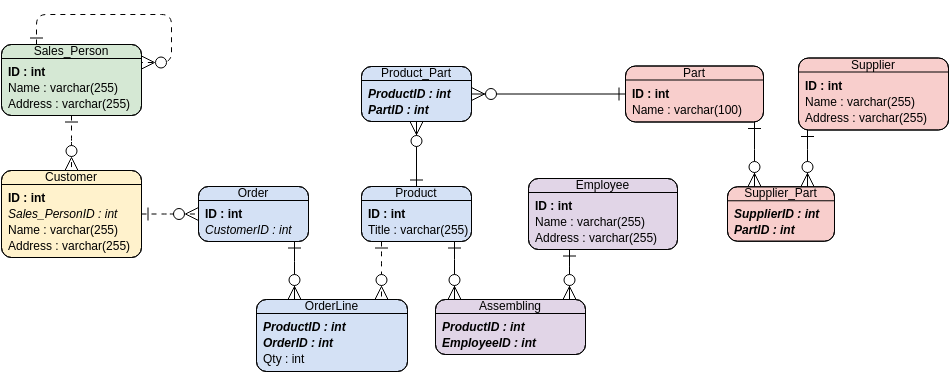
ER Diagram Example: Simple Order System
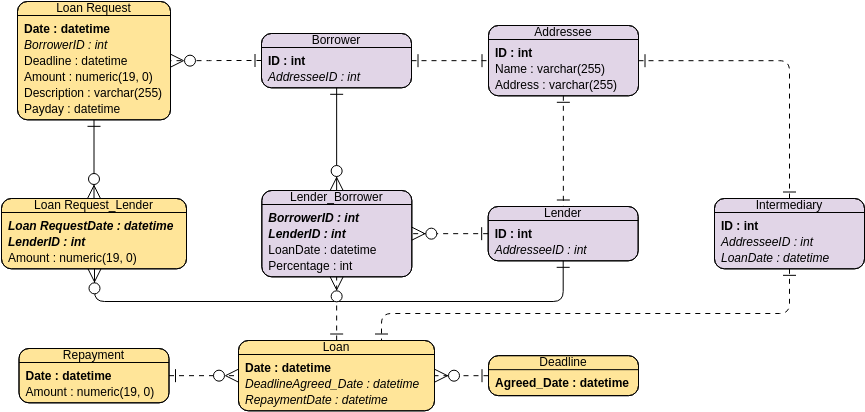
ER Diagram Example: Small Loan System
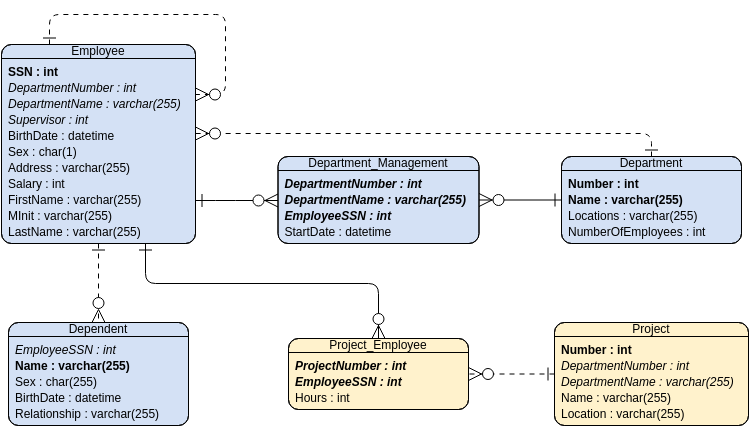
Entity Relationship Diagram Example: MIS
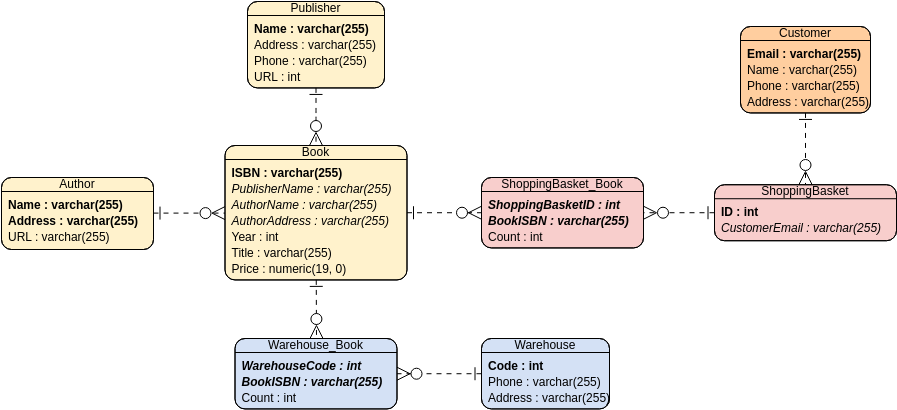
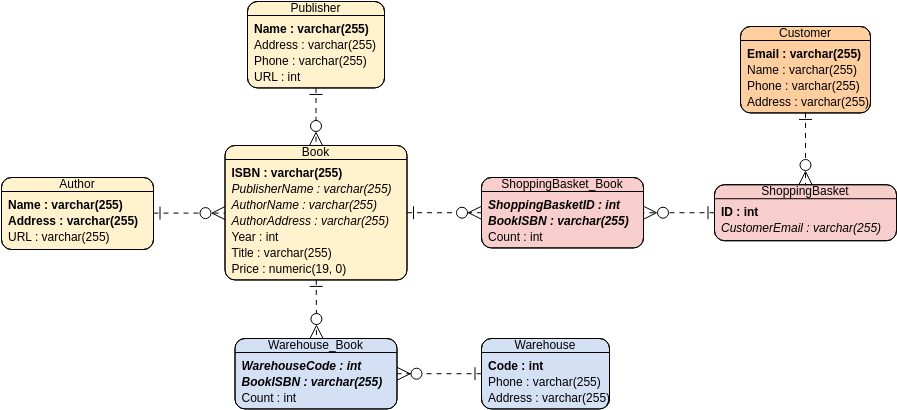
Entity Relationship Diagram: Online Bookstore
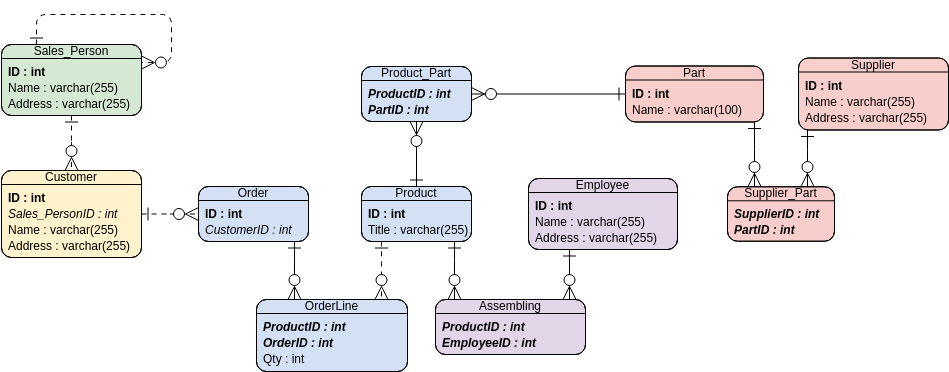
ER Diagram: Inventory Management System
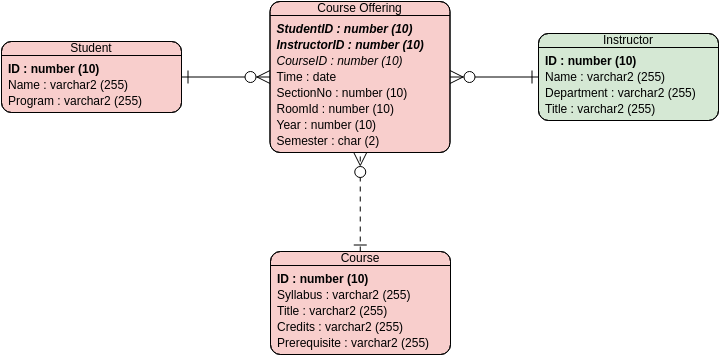
ER Diagram: University Registration System
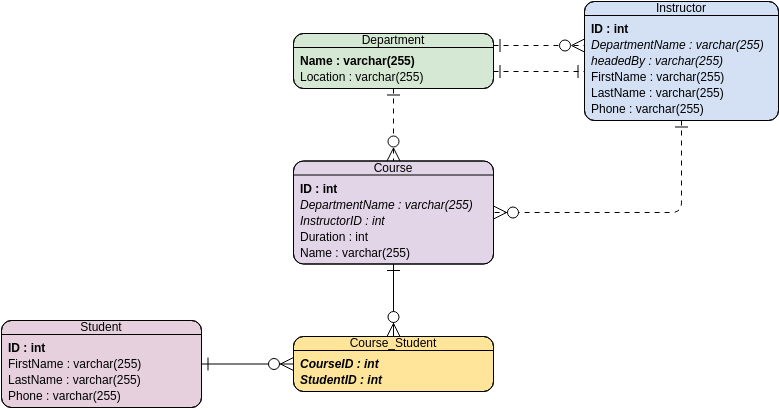
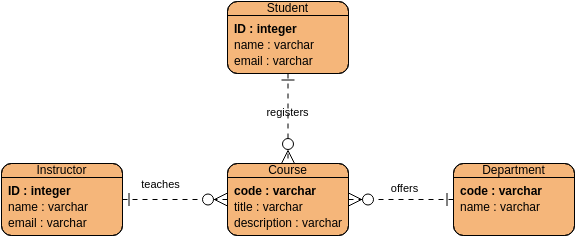
ERD Example: Course Management System
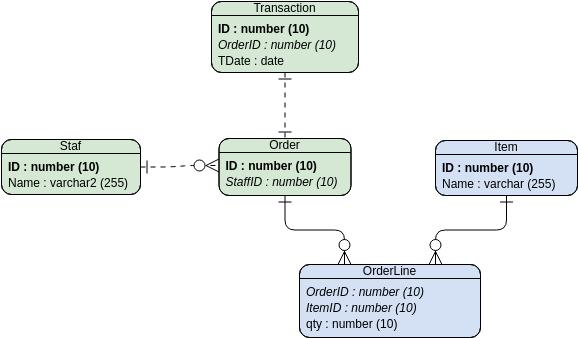
I particularly appreciated being able to fork an example and customize it for my specific use case. This feature reduced my setup time dramatically and helped me maintain modeling best practices without reinventing the wheel.
User-Friendly Editing Experience: Smooth Iteration, Happy Collaboration
Editing diagrams is where many tools fall short, but Visual Paradigm nailed this aspect. The drag-and-drop interface felt responsive, connectors snapped intelligently, and repositioning elements didn’t break relationships. When I needed to share a draft with my engineering lead, the real-time collaboration features worked seamlessly.
For product teams that iterate quickly on data models, this fluid editing experience is invaluable. I spent less time fighting the tool and more time refining the actual design logic.

Conceptual ERD
Designed by @Gugu Dev
You may also like

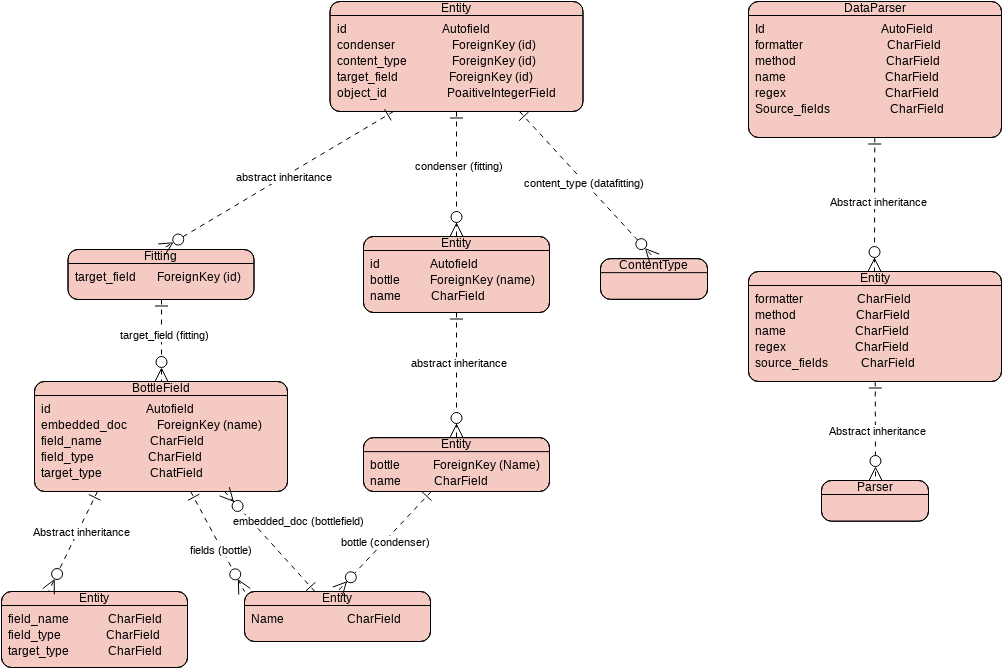 Data Field Entity Relationship Diagram
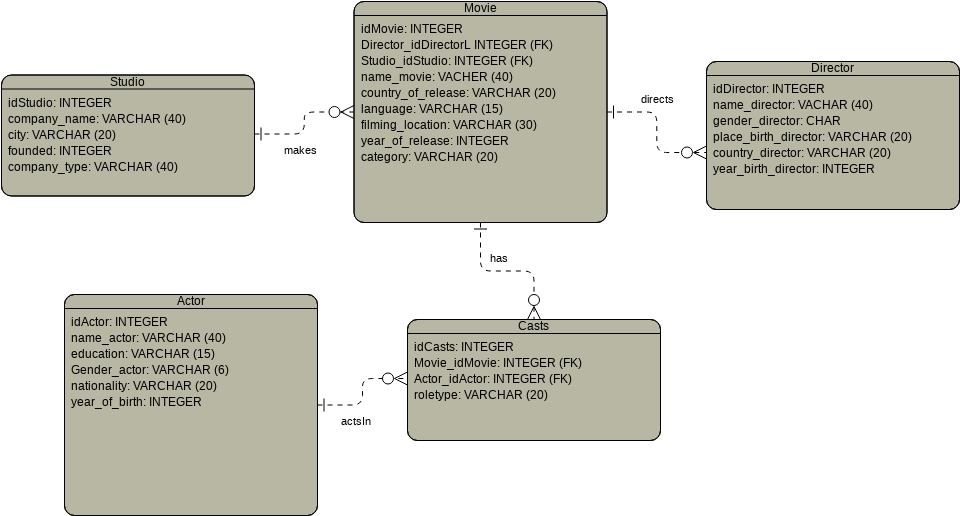 Movie Studio Entity Relationship Diagram
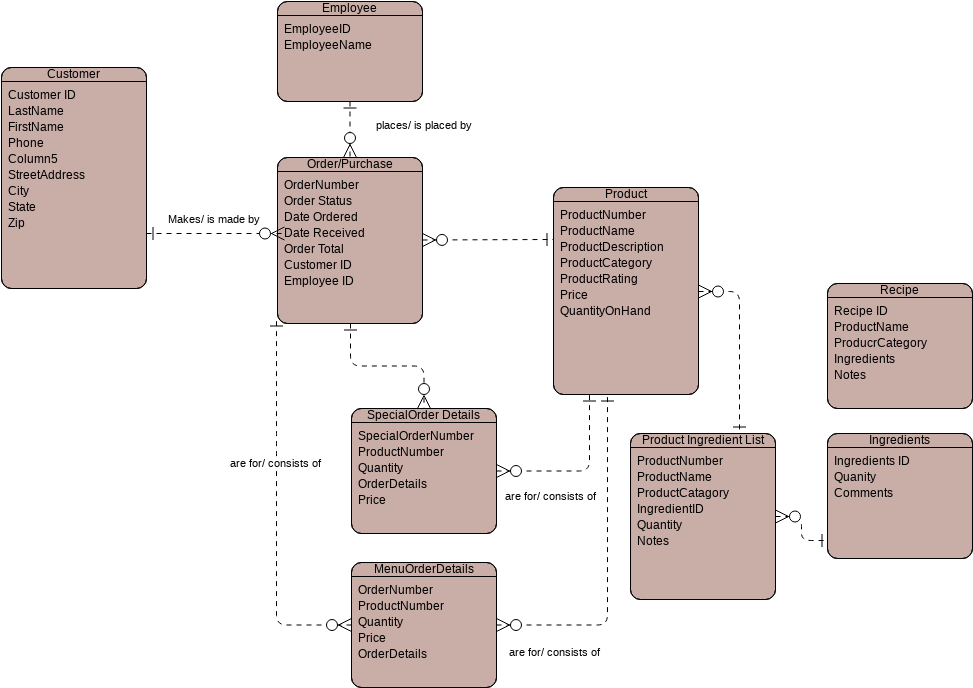 Order Purchase Entity Relationship Diagram
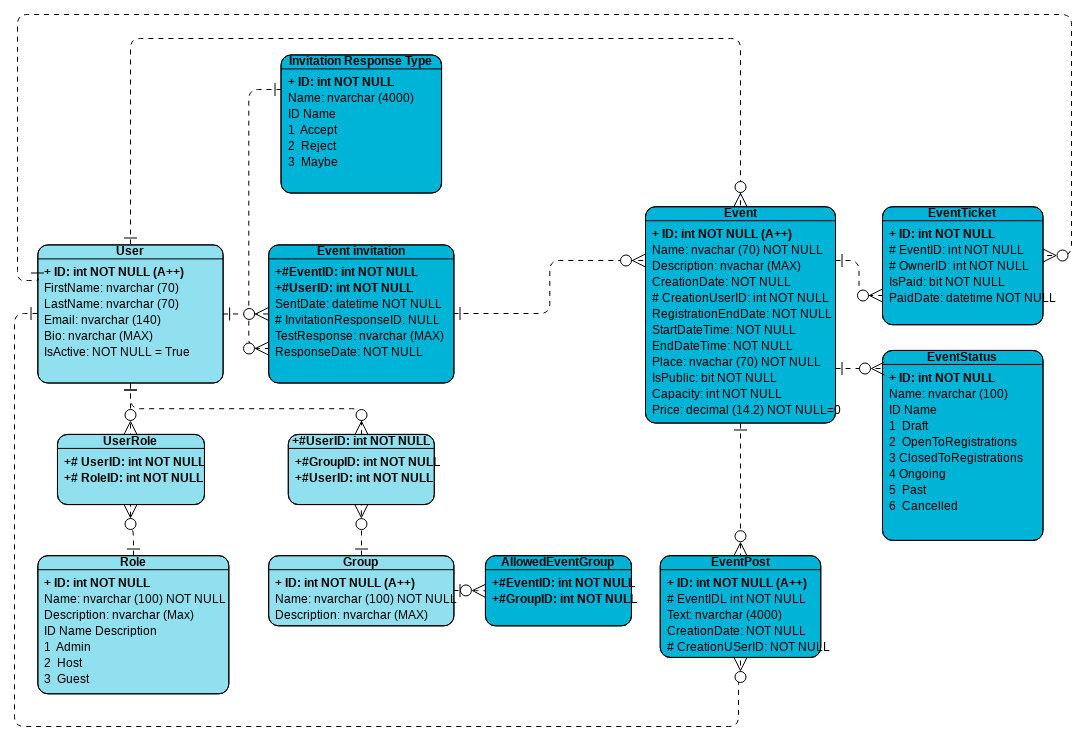 Event Creator Entity Relationship Diagram
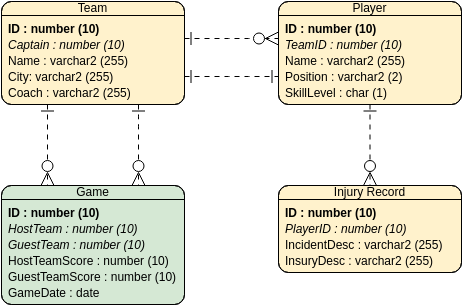
ER Diagram Example: Hockey League
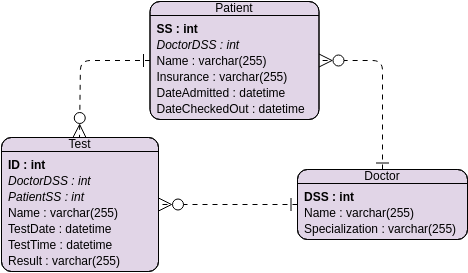
ERD Example: Hospital Management System
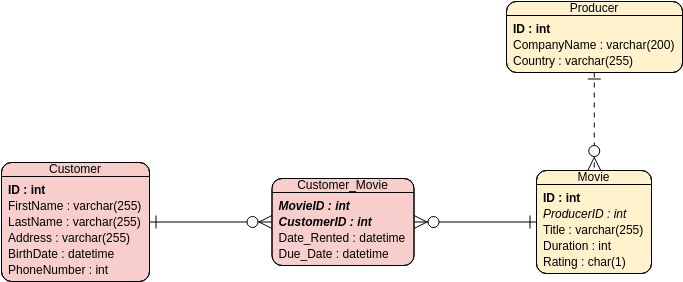
ER Diagram Example: Video Rental System
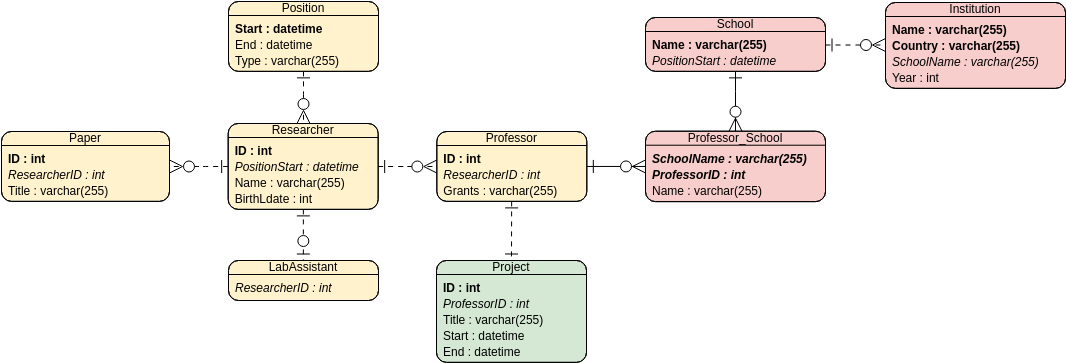 ER Model Example: Research Cooperation and Exchange
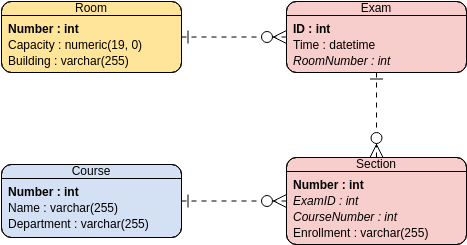 ER Model: Examination Scheduling System
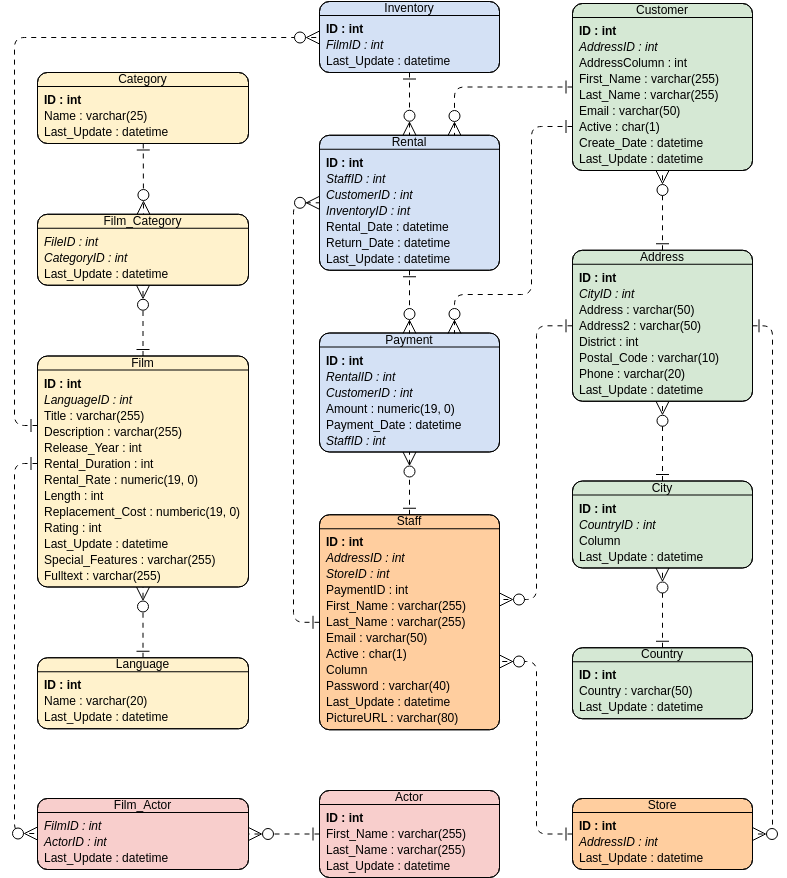 Entity Relationship Diagram: Movie Rental System
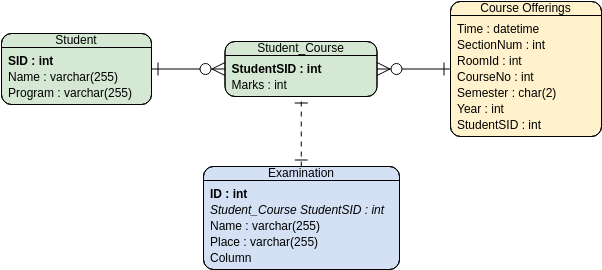 ER Model: Student Score – Ternary Relationship
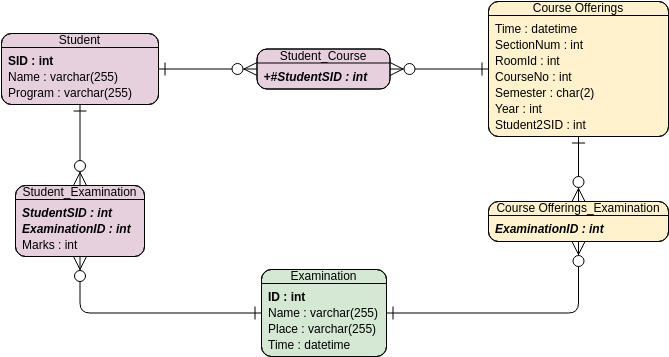 ER Model Example: Student Score – Binary Relationship
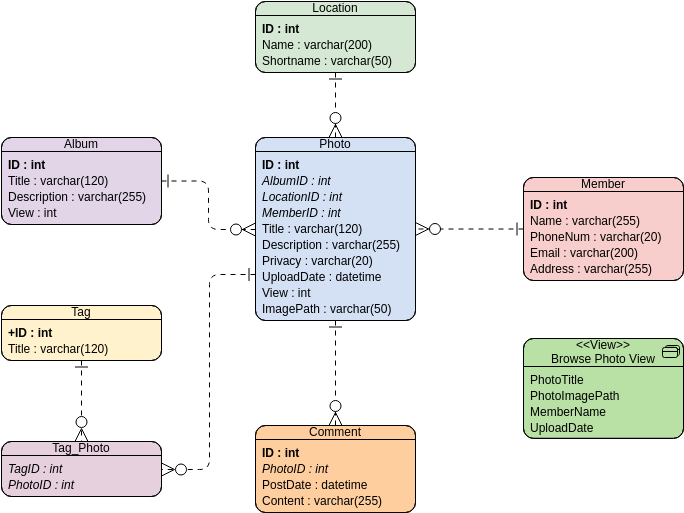 ER Diagram Example: Online Photo Album
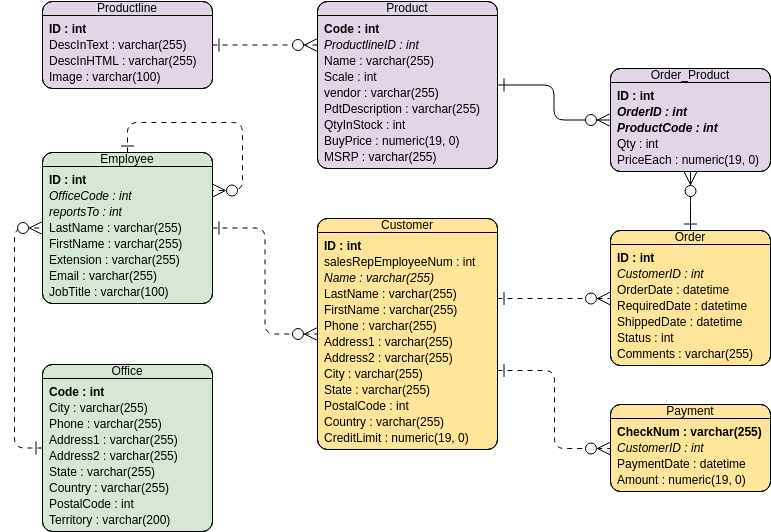 ER Diagram Example: Simple Order System
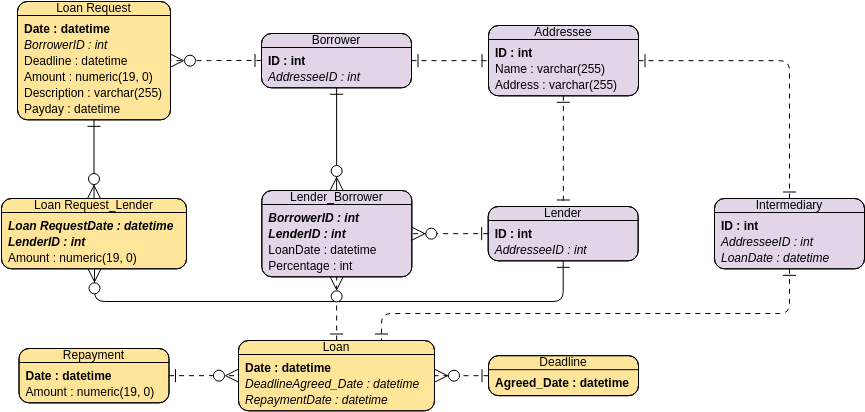 ER Diagram Example: Small Loan System
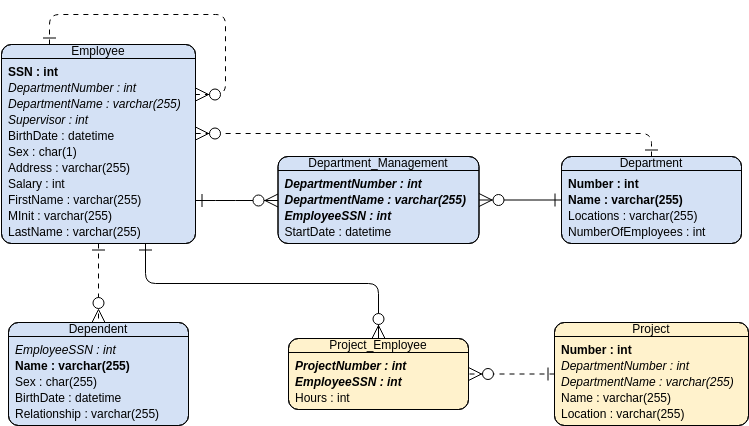 Entity Relationship Diagram Example: MIS
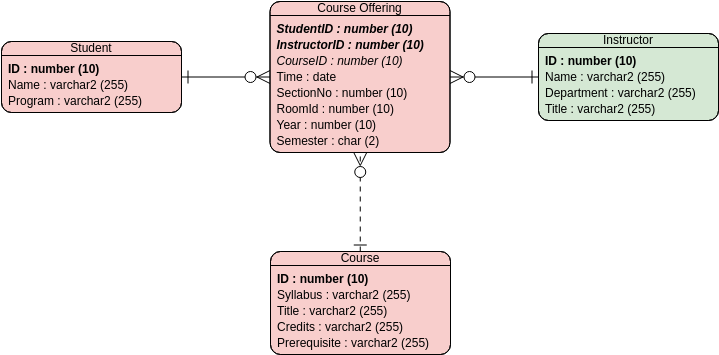 ER Diagram: University Registration System
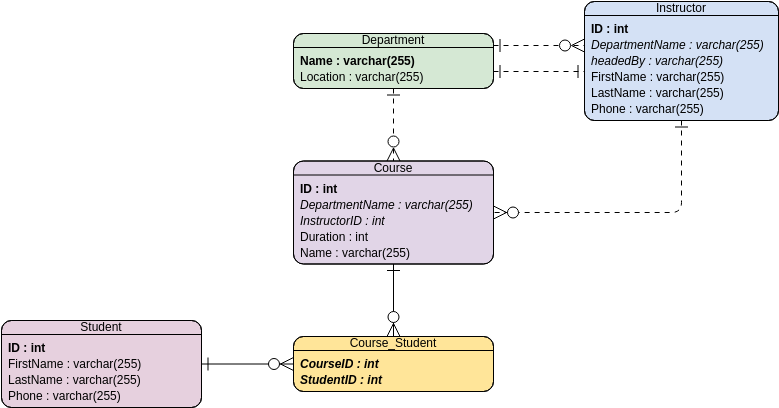 ERD Example: Course Management System
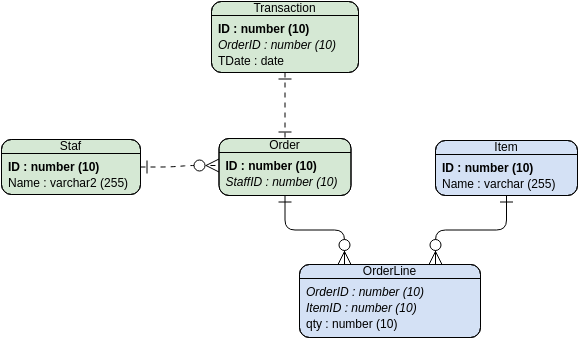
Areas for Consideration
To keep this review balanced, I’ll note a couple of considerations. While the free tier is generous for individual use, teams requiring advanced collaboration features or enterprise integrations should review the pricing plans. Additionally, while the tool excels at ER modeling, users needing extensive UML or business process modeling might want to explore Visual Paradigm’s broader suite. These aren’t drawbacks per se—just context for setting the right expectations.
New Conclusion: Why This Tool Earned a Spot in My Regular Workflow
After several weeks of using Visual Paradigm’s Online ERD Tool across multiple projects, I can confidently say it has become my go-to for database design tasks. The combination of an intuitive interface, comprehensive symbol library, practical examples, and smooth editing experience addresses the real pain points I face as a product professional working with data models.
If you’re evaluating ERD tools, I encourage you to try it with a small project first. Fork one of the example diagrams, customize it for your needs, and see how the workflow feels. Based on my experience, you’ll likely find—like I did—that this tool removes friction from the design process and lets you focus on what matters most: creating clear, effective data models that drive better product decisions.

 English
 Arabic
 Chinese (Simplified)
 Dutch
Dutch French
 German
 Italian
 Japanese
 Korean
 Portuguese
 Russian
 Spanish